
Finished
v2.0.1
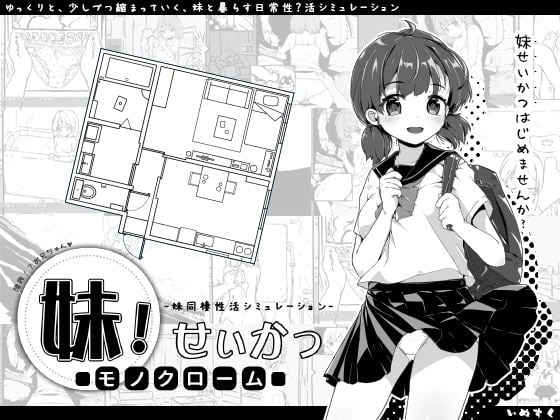
Imouto!? Life ~Monochrome~
More by inusuku

2D Game
2DCG
Anal Sex
Bukkake
Creampie
Drugs
Groping
Handjob
Incest
Japanese Game
Male Protagonist
Masturbation
Oral Sex
Sex Toys
Simulator
Sleep Sex
Teasing
Urination
Vaginal Sex
Virgin
Voyeurism
About Imouto!? Life ~Monochrome~
A daily life simulation with your younger sister.
Little by little, day by day…You’re living alone when your younger sister ends up staying with you.When such an opportunity comes knocking on your door, what kind of brother will you become for her?
Little by little, day by day…You’re living alone when your younger sister ends up staying with you.When such an opportunity comes knocking on your door, what kind of brother will you become for her?
Downloads
v2.0.1Confused about how the downloading works? Here is a handy guide
Windows
Fileknot (Official English Version) Transfaze (Official English Version) Fileknot (Unofficial English Version) Transfaze (Unofficial English Version)
Windows
Mega (Official English Version) Mixdrop (Official English Version) Pixeldrain (Official English Version) Mega (Unofficial English Version) Mixdrop (Unofficial English Version) Pixeldrain (Unofficial English Version)
Copyright and Terms: Lewdzone is a crawling site. We post games like Imouto!? Life ~Monochrome~ from trusted sources like Patreon official release, creator's official site and F95. We only share links of files provided by those sources. We do not include/exclude anything to/from the packages. We do not host those files and those files are hosted in public file sharing servers and by the ToS of those servers, it is legal to share any public files.
- You may need to change system locale to Japanese or use Locale Emulator.
- Extract and run.
Walkthrough & Guide
Guide1 - Guide2
Improvements Mod Fan translated version: FILEKNOT - ANONZIP
Improvements Mod Official English version: FILEKNOT - ANONZIP
Improvements Mod Installation:
Just extract and run, the downloads contain the game files with the mod already applied.
Improvements Mod Features:
- Real time in-game mouse, no more annoying waits.
- Title screen mouse support.
- Fan translated version with 16 save slots, to keep it on par with the official 2.03 version.
- Translated album screen, dialog name boxes, and miscellaneous small translation improvements (fan translation only).
- Bugfixes. Check out the changelog for details.
Ultimate Godly Brother Mod Official English: FILEKNOT - ANONZIP
Ultimate Godly Brother Mod Unofficial: FILEKNOT - ANONZIP
Ultimate Godly Brother Mod Installation:
For Official 2.1:
1. Back up the game's Data.wolf.
2. Replace it with the mod's Data.wolf.
3. Enjoy.
NOTE: You can use a decompiler like DXADecode and just put BasicData from the decompiled mod to your game's Data folder.
For Unofficial 2.0:
1. Extract the ZIP File.
2. Back up the game and save files if necessary.
3. Replace BasicData.wolf and [Optional: SystemFile.wolf] contained in Data. (Data folder must contain .wolf files!)
4. Enjoy.
Ultimate Godly Brother Mod Features:
Godly Brother includes a cheat menu that is present when interacting with your imouto.
This menu features:
The Godly Brother Menu system, which allows you to manipulate your sister's needs, sexual interests, etc.
Colours Mod: FILEKNOT - ANONZIP
Colours Mod (Wolf Extract): FILEKNOT - ANONZIP
Colours Mod Installation:
-Download,
-Extract,
- Copy cg and picture
- Paste and replace in Imouto Life\Data
Colours Mod Features:
Coloring mod made by fans for fans.
Improvements Mod Fan translated version: FILEKNOT - ANONZIP
Improvements Mod Official English version: FILEKNOT - ANONZIP
Improvements Mod Installation:
Just extract and run, the downloads contain the game files with the mod already applied.
Improvements Mod Features:
- Real time in-game mouse, no more annoying waits.
- Title screen mouse support.
- Fan translated version with 16 save slots, to keep it on par with the official 2.03 version.
- Translated album screen, dialog name boxes, and miscellaneous small translation improvements (fan translation only).
- Bugfixes. Check out the changelog for details.
Ultimate Godly Brother Mod Official English: FILEKNOT - ANONZIP
Ultimate Godly Brother Mod Unofficial: FILEKNOT - ANONZIP
Ultimate Godly Brother Mod Installation:
For Official 2.1:
1. Back up the game's Data.wolf.
2. Replace it with the mod's Data.wolf.
3. Enjoy.
NOTE: You can use a decompiler like DXADecode and just put BasicData from the decompiled mod to your game's Data folder.
For Unofficial 2.0:
1. Extract the ZIP File.
2. Back up the game and save files if necessary.
3. Replace BasicData.wolf and [Optional: SystemFile.wolf] contained in Data. (Data folder must contain .wolf files!)
4. Enjoy.
Ultimate Godly Brother Mod Features:
Godly Brother includes a cheat menu that is present when interacting with your imouto.
This menu features:
The Godly Brother Menu system, which allows you to manipulate your sister's needs, sexual interests, etc.
- Allows you to give yourself items in the game for free.
- Allows you to configure time.
- Allows you to basically have full control on some aspects of the game.
Colours Mod: FILEKNOT - ANONZIP
Colours Mod (Wolf Extract): FILEKNOT - ANONZIP
Colours Mod Installation:
-Download,
-Extract,
- Copy cg and picture
- Paste and replace in Imouto Life\Data
Colours Mod Features:
Coloring mod made by fans for fans.
2.0.1
Jun 4, 2022
-Bugfixes
Minimum
OS: Windows 7+
CPU: Any 1.5 GHz
RAM: 1 GB
GPU: DirectX 9.0c compatible
Storage: 148.2 MB
Recommended
OS: Windows 10+
CPU: Dual Core 2.0 GHz
RAM: 2 GB
GPU: Any DirectX 9 GPU
Storage: 148.2 MB
How do you add the color mod? Just placing the CG and Picture folders in the directory isn’t working.
Is there a translated image of the Config.exe menu?
delete o replace the old 1 if .wolf file remove the folder ex. Picture.wolf = remove the Picture Folder and just place the .wolf outside like the folder( ex. replace the folder with the folder.wolf)
Is this all in regards to the “Improvements mod” -> “Official English version Win” version?
For the Godly Brother mod I know to just replace the .wolf file.
For the colors mod do I just delete the cg.wolf and Picture.wolf files in the Data foler?….welp, looks like that works! Thanks!
Any knowledge on the Config.exe translation? I only understand how to turn off BGM. Not sure what else it does.
Looks like you can’t use the Godly Brother mod at the same time as the color..
I think I understand how it works now though. Data.wolf replaces the Data folder.
So to get both to work you need to use the “Unofficial” download for the Godly Brother mod and replace some files in the Data folder with the .wolf files it has. Don’t use the Data.wolf file.
And to get the color mod to work you need to delete the cg.wolf and Picture.wolf files to get it to use the CG and Picture folders instead (after placing them in the Data folder).
moddb com
WRPG English 2.24Z Full Package zip
Wolf Rpg Editor English 2.24Z Full Package
replace that game config.exe with this WRPG 2.24Z Config.exe (English ver config.exe) or just edit the config setting on Game.ini file.
f95zone to
wolf-rpg-decryptor.16162
DXADecodeW.zip
Decode(extracted) .wolf file into Folder and you can try find the Brother godly mod script/file on the in one of those folder( Extract DXADecodew.zip and just drag the Data.wolf or any *.wolf file into the DXADecode.exe and release it(its will create a folder with the *.wolf without the.wolf (Data.wolf = Data folder) …just encode back to .wolf file by dragging a folder into the DXAEncode.exe if you want.
DXADecodeW.zip for .Wolf file to Folder (after extract the zip….just drag the .wolf file and release it onto the DXADecode.exe to convert .wolf into a Folder…DXAEncode.exe for Folder Into .Wolf file)
for config.exe just edit the Game.ini file or download Wolf rpg editor english version and kidnap the config.exe inside before throwing it into the game folder Room)
p.s. dont ask a link, tried 6~8 comments with links attached – waiting for approval-comment Gone….>.<, if this also disapproved then ahaha guess its not your fate to get the information easily.
where are the improvement mod and the ultimate godly imouto mod?
Check the walkthrough and guide section.
what translation is better official or fans