
Living With Sister: Monochrome Fantasy
More by Inusuku


About Living With Sister: Monochrome Fantasy
When your father goes off on an adventure, it’s up to you to keep the lights on and take care of your sister.
Living in a fantasy world, it’s always been your dream to grow up to be a famous adventurer just like your father. Reality proves to be more boring than fiction, however, as your days are mostly spent doing odd jobs for the villagers. With your friends by your side, you enter the Tournament of the Eights and strive for something greater: the chance to become the top guild in the country. Will you realize your ambitions, or will your hopes slip through your fingers and doom you to a life of monochrome monotony?
Downloads
Confused about how the downloading works? Here is a handy guide
- Extract and play.
Walkthrough & Guide
Daseson's Color Mod Kagura|Steam Version DLC: FILEKNOT - ANONZIP
Daseson's Color Mod Kagura|Steam Version NO DLC: FILEKNOT - ANONZIP
Daseson's Color Mod F95ZONE Version: FILEKNOT - ANONZIP
Daseson's Color Mod Installation:
Versions downloaded from F95ZONE: YOUTUBE
How to install manually in the F95ZONE version: YOUTUBE
Versions downloaded from STEAM/KAGURA page's: YOUTUBE
Download Wolf Extract, here: FILEKNOT - ANONZIP
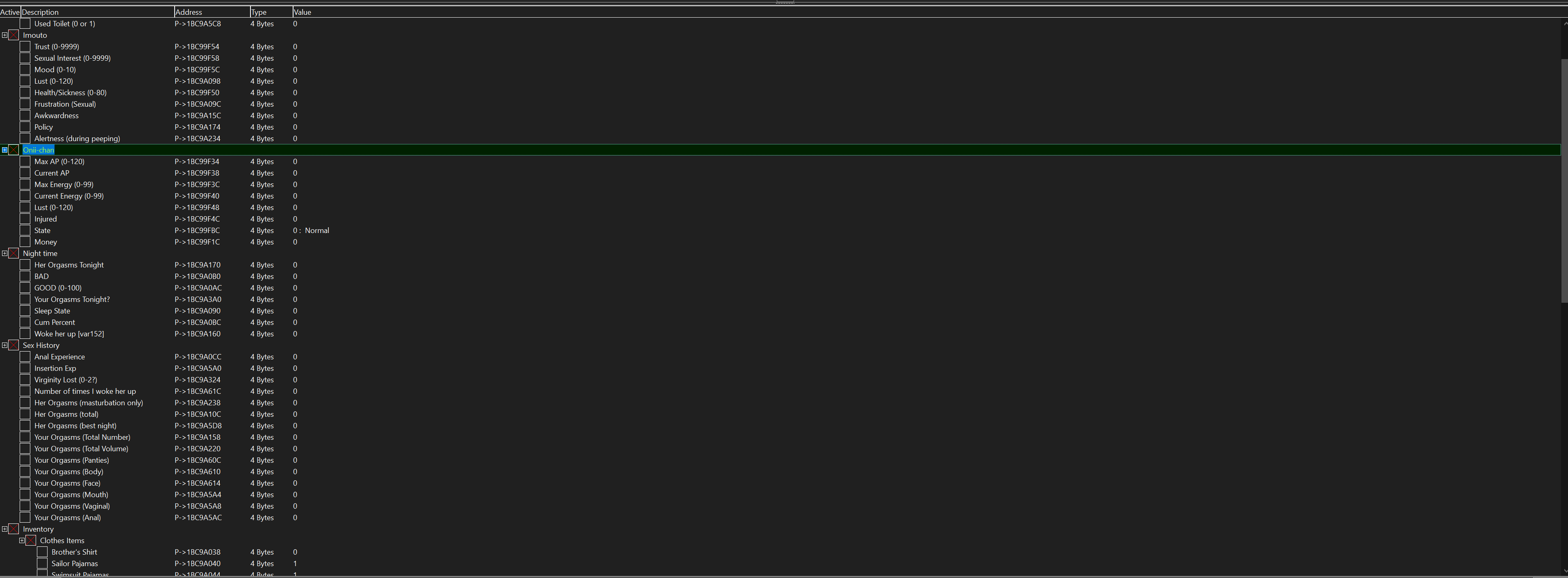
Cheat Table: FILEKNOT - ANONZIP
Cheat Table (CE) Installation:
- Install Cheat Engine if you don't have it installed yet (From cheatengine.org). Be careful when doing it as it can potentially install unwanted programs, so read every pop-up that appears during installation carefully. Cheat engine should already have an included tutorial that shows up the first time you open it, but I will keep explaining the process as the built-in tutorial doesn't explain how to open and use external cheat tables, I think.
- Extract one of the zip files attached below (Depending on wich version of the game you have). I recommend extracting the .CT file (aka cheat table) to some convenient folder like the game folder itself or desktop.
- Double click on the .CT file to open it with Cheat Engine.
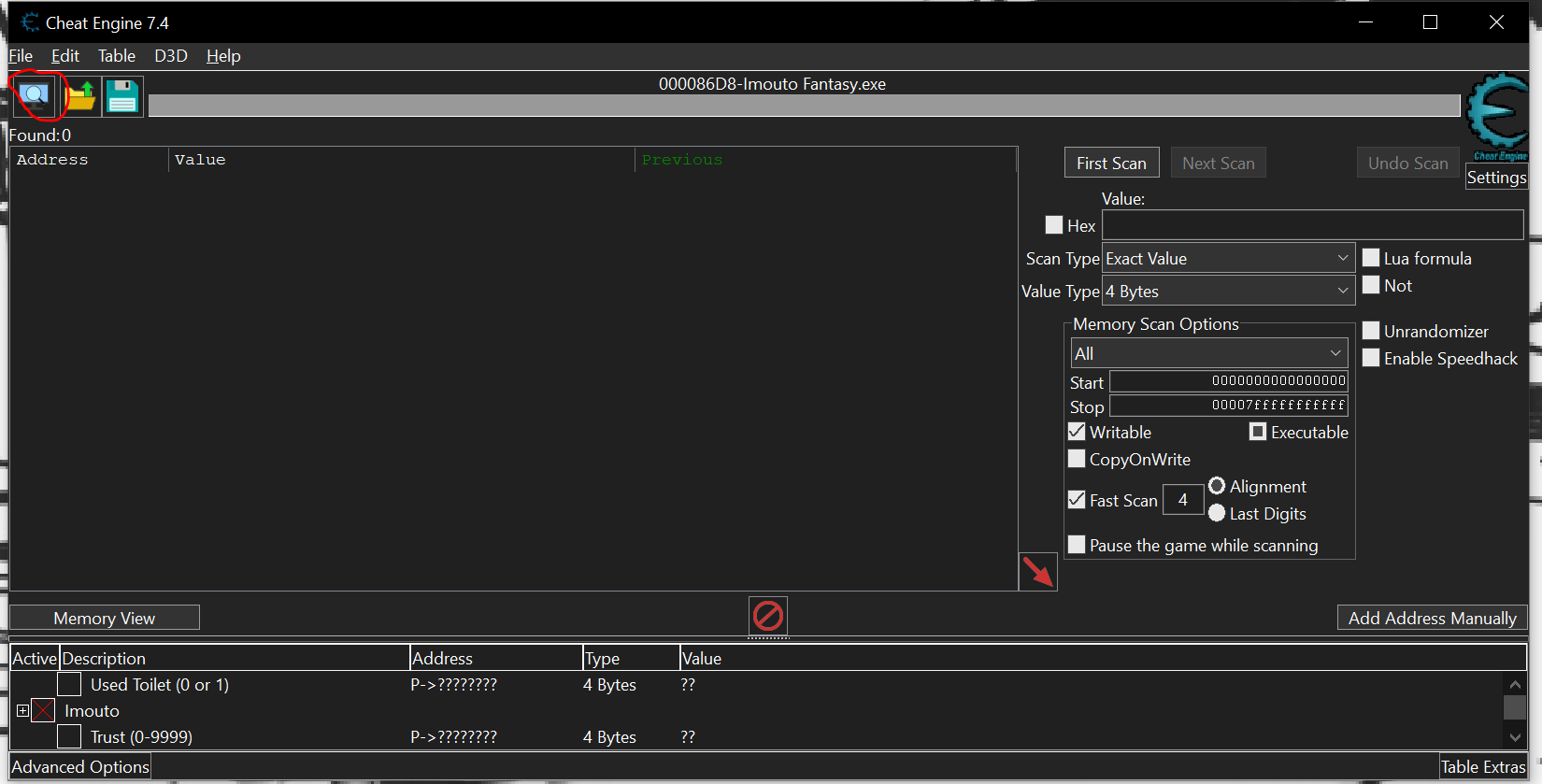
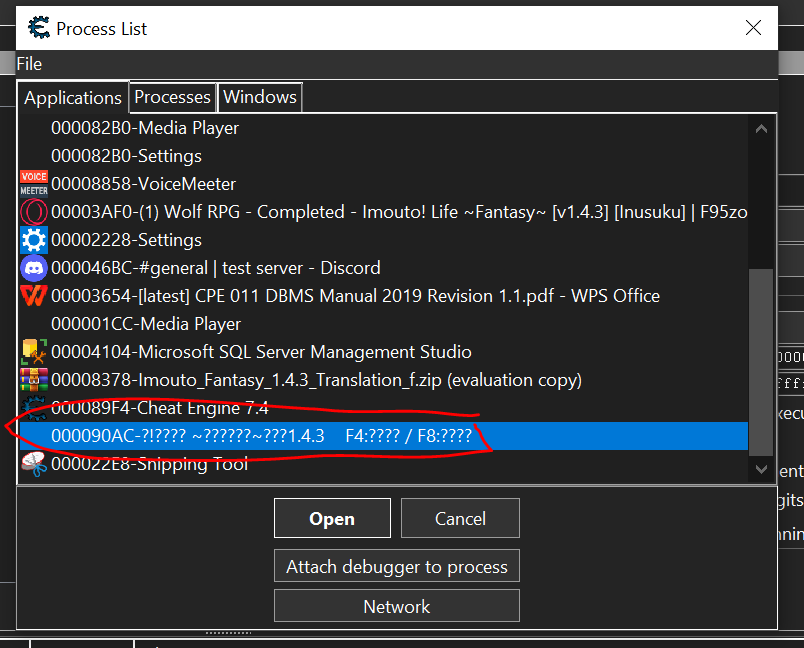
- Open the game itself, then select the game on the process list on cheat engine (top left), open, and keep the current adress list once the the pop-up shows. Click on the boxes beside "Imouto", "Inventory", etc. to expand the list.
- Double click on the values to change them.
- Profit.
- Note: Checking the variable boxes (When they are marked with an X) means that specific value is locked until it is unckecked.
Mello's Decensored Mod (DLC): FILEKNOT - ANONZIP
Mello's Decensored Mod (DLC) Installation: Extract and replace into your game folder or where the GamePro.exe file is located
Translation Revision/Mod: FILEKNOT - ANONZIP
Translation Revision/Mod Installation:
Extract the to get all files
Full Game: Extract archive, enjoy.
Patch Only: Extract archive into the root directory of an unpacked version of the game (either Shades's Fan TL version or the JP version unpacked) and overwrite all conflicts. Run the game using GamePro.exe (you may rename the executable if you want it doesn't matter).
Update: Extract archive into the root directory of a previous version of this mod and overwrite files.
prpr Decensor: Extract archive into the root directory of an unpacked version of the game and overwrite all conflicts.
ISF Save Converter: Extract archive wherever, drag and drop save files onto ISFSaveConv.exe to convert them to whatever the other format is. It'll output to a new folder, so grab the save files from there to load into your new game version.
Translation Revision/Mod Features:
- Full translation revision of the script, with changes to the vast majority of lines. Includes the DLC content as well, with a fully original translation.
- Lots of redone UI stuff, including button images, text alignment and resizing, etc... The goal is to make the whole thing just a bit more polished looking.
- Mod config file that can toggle on or off a number of added features.
- A handful of convenience features (no game balance changes). Fix added that should allow use of old FFFox save files without critical errors, as well as a feature in the Notice menu to change your title should something go wrong (cosmetic change only). Can also bulk buy adventure/naughty books at Ketsunoana to save some clicking.
- Keyboard controls added to Midnight Play scene. The cursor can be moved around with WASD, left click with Z/Q, right click with X/E. Just in case your mouse hand is busy.
- Sex noises during Midnight Play, as well as togglable piston speed.
- Simple cheat menu to manipulate a variety of game variables (enabled in Data\conf.txt).
First version of DLC Translation release!
Report any issues/errors etc please!
Minimum
OS: Windows 7+
CPU: Any 1.5 GHz
RAM: 1 GB
GPU: DirectX 9.0c compatible
Storage: 693.0 MB
Recommended
OS: Windows 10+
CPU: Dual Core 2.0 GHz
RAM: 2 GB
GPU: Any DirectX 9 GPU
Storage: 693.0 MB
how do in the screen he have more than 100 of lust or things like that in 40 days it’s impossible
skill issue
LAMOOOOOOOOOOOOOO
how do you use the godly brother mod ?
Extract ZIP File
Replace Data folder to Game Root
Enjoy!!
I don’t understand the modding process since I am very new to PC, can you give me a simpler explanation since I am illiterate?
Follow the mods installation.
i dont know how to install ffmod file pls help
1. Download the base game JP ver 1.4 or later, or Kagura’s ver 1.0 or later.
2. Unpack the ‘.wolf’ game files into individual folders if your game is still encrypted (if needed, you can use ‘WolfDec)
2b. Move all the old ‘.wolf’ files into a separate backup folder.
3. Drop the contents of the zip folders into the base game’s folder, overwriting the old files. If you don’t get an overwrite request, then the mod has been installed incorrectly.
Im playing these on mobile, should i follow these steps too?
Okay, try, But I don’t know if it will work or not..!! Because this installation is only for Windows.
lovely. a game that forces you to play and grind over and over again because of events that cause you to lose if not completed
i cant download the 2.0 version, it says v1.04 when playing, any help? also the mods didnt work
Try the latest file.
Yo there its no Links
Fixed
Is there a more up-to-date uncensor patch/mod? the only ones that you have is for 0.3 and 0.4. I don’t really know if this will be enough for the entire game
More up-to-date uncensored patch/mod are not available yet.
links to translation points to Imouto Fantasy v2 file, is it correct ?
yes