
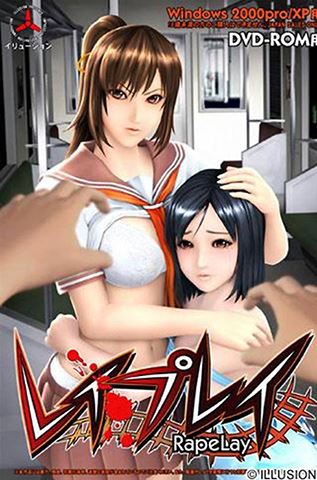
RapeLay
More by Illusion







About RapeLay
The player plays as Kimura Masaya, a chikan – a pervert – who frequently fondles women in crowded subway trains. One day, a high school girl named Kiryuu Aoi has Masaya arrested for molesting her. Freed after only a day by his influential father, Masaya plans to exact his revenge on the girl.
Tailing her, he discovers that she lives with her sister and their widowed mother. Putting plans into motion, his first victim is Manaka, Aoi’s younger sister; he rapes her in a public bathroom. His next target is Yuuko, the mother of the two girls, whom he rapes in a secluded park. Aoi is Masaya’s final target, the girl who had him turned in to the police.
He forces her to go with him to a hotel – owned by his father – after coercing her with photos taken of her mother, then ties her up and rapes her. After the player completes the initial storyline mode, the player gets to rape them in any situation of his choosing; this is the source of the enhanced replay value in RapeLay (and also the source of the pun in its name).
This mode is called Training mode. In this training mode you can “break” each of the three women in nine different ways. Once they are fully broken, the girl will no longer resist your requests during training mode.
Downloads
vFinalConfused about how the downloading works? Here is a handy guide
- Extract to desired location.
- Mount the .ISO using software of your choice like Deamon Tools Lite.
- Install the game.
- Click on "gamename.exe" to start playing.
- You might need to change the system to Japanese Locale or use tools like Applocale or NTLEA.
Walkthrough & Guide
ABOUT LAG FIX:
- Use this combo of dll (make copy of original dll and unzip it to main dir).
- It should work with English subtitles in Fullscreen ONLY (windowed is bugged, on 16:9 monitors it will be stretched).
- You need to open it in YOUR REGION (DON'T use Applocale).
- Also check your Registry - you need to set correct folder structure to play this game (error with no config file to open).
- It took 2h to test what dll combination will make it fully work.
- EDIT October 05, 2022 about [VIRUS]: There is false positive virus alert by VirusTotal (_alt.dll is flagged by online Malwerbytes).
It tested with Malwerbytes (premium trial, installed on my PC) and gave no positive raport - files are clean.
 - Probably it's because antiviruses hates archives with .dll files.
Minimum
OS: Windows 7+
CPU: Dual Core 2.0 GHz
RAM: 4 GB
GPU: Integrated Graphics
Storage: 1.35 GB
Recommended
OS: Windows 10+
CPU: Quad Core 2.5 GHz
RAM: 8 GB
GPU: Any dedicated GPU
Storage: 1.35 GB
tried to install a trojan, do not download
Your download file might be broken try downloading again.
Nothing problem
Game don´t start after installing the game.
I clicked on Play RP and the window just dissapear and nothing happens
use compatibility mode windows vista service pack 2. thats how i got it working
I tried that too, but it didn’t work for me.
What’s the password?
Password for what?
Rapepley.trainer.rar need password to extract bro ? You don’t even know what is password than why you wasting our time
Copy the arhive to RapeLay directory (where you installed the game) and unrar it.
Password: password
Where do I put the lag fix .dll files? The main directory doesn’t have any .dll files anywhere in it to replace. There’s only a Data and Documents folder with 5 .exe in it. Even inside the 2 folders there are no .dll files.
i got 2 dll files but i dont understand how to use it . when i run the game it says error d3dx9_24.dll was not found
So do you have to pay for it?
Post video tutorial if possible or step by step written btw does the game work on windows 11
From what I was able to figure out, the game literally won’t open if you have a multi-screen setup. If you do, just turn off one off your monitors and only play the game on the main one. That’s what fixed the issue for me at least.
I checked i don’t have that kind of setting i downloaded everything except the trainer cause it was optional but game still doesn’t work
How many physical monitors do you have? If you have more than one monitor, the game will not open properly. From what I can tell, if you have more than one monitor, turn them all of until you only have your main monitor on, then try to launch the game.
So I’ve tried getting the lag fix to work by following the instructions here. What is the original ddl that you’re referring to and what is the main dir you’re talking about? Also, where exactly do i put the two lag fix ddl?
into the game folder and replace the OG, do copy the OG dll or rename it
theres no dll file to replace in the game folder.
We cant find it
Try to extract the lag fix file by using 7-Zip.