
Finished
vMiniPPX v8
Artificial Academy 2
More by Illusion







3D Game
Anal Sex
Animated
Bukkake
Character Creation
Cheating
Combat
Dating Sim
Exhibitionism
Female Domination
Footjob
Gay
Groping
Group Sex
Harem
Japanese Game
Lesbian
Male Domination
Management
Masturbation
Oral Sex
Rape
School Setting
Sex Toys
Simulator
Titfuck
Vaginal Sex
Voiced
Voyeurism
About Artificial Academy 2
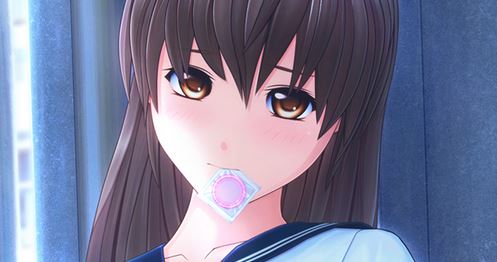
Artificial Academy 2 (ジンコウガクエン2, Jinkou Gakuen 2) is an eroge high school social simulation, sequel of Artificial Academy and released by Illusion on June 13, 2014. Create and play any of up to 25 students of varying gender, orientation and other interaction abilities and personal inclinations. Make friends and lovers as the class competes for achievement in academics, athletics, popularity, and romance.
Downloads
Confused about how the downloading works? Here is a handy guide
Copyright and Terms: Lewdzone is a crawling site. We post games like Artificial Academy 2 from trusted sources like Patreon official release, creator's official site and F95. We only share links of files provided by those sources. We do not include/exclude anything to/from the packages. We do not host those files and those files are hosted in public file sharing servers and by the ToS of those servers, it is legal to share any public files.
- Unpack the contents of the 7zip in a folder that you have write access to and which doesn't contain kanji and kana in the path.
- Run the vc_redist.x86.exe and vc_redist.x64.exe in the extra folder if you don't already have C++ redistributable installed on your system.<br>Both must be installed on 64bit system.
- Run AA2Play.exe to play.<br>IMPORTANT: Use mods in pp2 format from thread instead of AA2Install/Wizzard, installation is simple drag and drop into data directory. AA2Install/Wizzard is not supported
- IMPORTANT: On Windows 10 you may get low frame rate, if this is the case follow these steps ONLY FOLLOW STEPS UNTIL IT WORKS<br>1. Enable Win10Fix in scripts.<br>At this point it should work. If it does not work.<br>2. Go to settings for Win10fix and change d3d9 variant to dgvoodoo2.<br>At this point it should work. If it does not work.<br>3. Disable Win10Fix in scripts<br>4. Enable WineD3D in scripts<br>5. Enable Software Vertex Processing in graphics.<br>At this point it should work.
- Troubleshooting:<br>In case of crashes or inability to play the game try making the following configuration changes in the launcher:<br>1) Disable all cheats (geass, jizou, timewarp, extsave - cheats are disabled by default)<br>2) If you changed any graphics driver or launcher settings manually, revert them to defaults.<br>3) If you have very low system memory (less than 8GB) and you're crashing, lower PP2 caches and buffers in the AA2Unlimited tab of the launcher.<br>(Default settings are close to 32bit RAM limit of 4GB per process - never raise these values).<br>4) Enabling type 2 renderer may increase performance.
- Included:<br>All official content and patches<br>AAU v1.5.3 (check for updates <a href="https://github.com/aa2g/AA2Unlimited/releases" target="_blank" rel="nofollow noopener">here</a>)<br>AA2QtEdit 1.8.3 (check for updates <a href="https://github.com/geneishouko/AA2QtEdit/releases" target="_blank" rel="nofollow noopener">here</a>)<br>AAU Module package dated 06.07.2019 (information and updates <a href="https://pastebin.com/R4DW0dxw" target="_blank" rel="nofollow noopener">here</a>)<br>HEXAOC 4.5<br>HEXAHP 3.2<br>Texture Hard Linker (optional - extra folder)<br>Translations for everything except default cards. Translations can be uninstalled.
Walkthrough & Guide
Minimum
OS: Windows 7+
CPU: Dual Core 2.0 GHz
RAM: 4 GB
GPU: Integrated Graphics
Storage: 1.82 GB
Recommended
OS: Windows 10+
CPU: Quad Core 2.5 GHz
RAM: 8 GB
GPU: Any dedicated GPU
Storage: 1.82 GB
HELP the game can run but whenever i start to interact with the girls it gets super laggy. I followed the steps but it does not seem to be working. Please help
Please try the latest version
i know its late for me but i have the same problem as him and i isntalled the latest version is there any patch i need to install or something
whats the file extract password
No need to password for extracting.
Try extracting with 7zip.
how do i make this run?
Read the installation.
followed the installation guide & have done pretty much all of the troubleshooting solutions but the game still won’t run… like, it’ll just get stuck at the AA2U launch window after i press “launch game.” i have more than enough disk space, so i really am not sure what the problem is… (win10)
all conversations are auto fails how do i fix?
never read such a instruction, just nope, sorreh not gonna play it