
Ongoing
v0.17.2.2
The Headmaster
Developer
Altos and Herdone
Engine
Ren'Py
Version
0.17.2.2 (Ongoing)
Released: Dec 24, 2025
Updated: Feb 4, 2026
Censorship
Uncensored
3DCG
Anal Sex
Animated
BDSM
Big Ass
Big Tits
Blackmail
Corruption
Creampie
Drugs
Exhibitionism
Groping
Group Sex
Handjob
Harem
Humiliation
Humor
Interracial
Lesbian
Male Domination
Male Protagonist
Management
Masturbation
Mobile Game
Oral Sex
Pov
Romance
Sandbox
School Setting
Sex Toys
Spanking
Stripping
Teasing
Titfuck
Trainer
Twins
Vaginal Sex
Virgin
Voyeurism
About The Headmaster
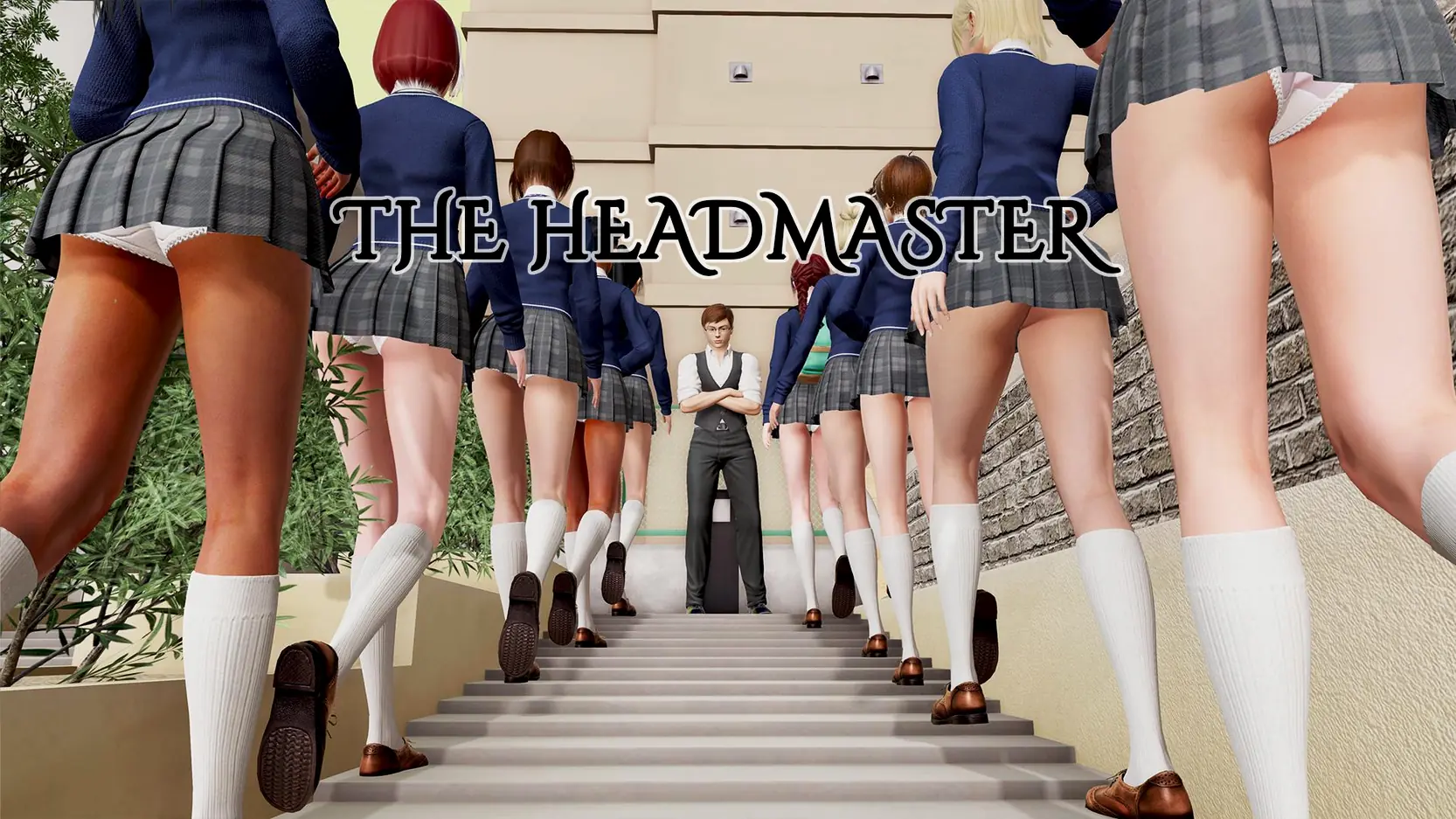
In the not too distant future, on a small island nation, a crisis has arisen. The number of students graduating from school has fallen sharply and university places are going unfilled. Faced with the prospect of mass unemployment and potential economic disaster the government is forced to introduce emergency measures. All students over eighteen who failed or were expelled from school are to be forced back into education at a number of special facilities.
Downloads
v0.17.2.2
Latest
v0.17.1 Beta
vMykock's Manor Ch.3
v0.16.4
v0.16.3
v0.16.2
v0.16.1 Beta
v0.15.3.1 Public
v0.15.2
v0.15.1 Beta
v0.14.3 Public + Mykock's Manor 0.1
v0.14.3 Public
v0.14.3
v0.14.1 Beta
v0.13.2
v0.13.0 Beta
v0.12.3 Patreon
v0.12.1 Beta
v0.11.1
v0.11 Beta
v0.10.1
v0.10 Beta
vChristmas Special
v0.9.2 Public
v0.9.2
v0.9.1 beta
v0.8.2.1
v0.8.2
v0.8 Beta
v0.7.1 Beta
v0.6.2 Public
v0.6.2
v0.6.1 Beta
v0.5.4 Public
v0.5.4 Beta
v0.5.3 Beta
v0.5.2
v0.5.1
v0.5 beta
v0.4.2
v0.4.1 BETA
v0.3.4
v0.3.3
v0.3
v0.2.2
v0.2.1
Confused about how the downloading works? Here is a handy guide
Windows
Fileknot (v0.17.2.1) Transfaze (v0.17.2.1) Fileknot (Updated Only v0.17.2.X to v0.17.2.2) Transfaze (Updated Only v0.17.2.X to v0.17.2.2) Fileknot (Mykock's Manor Special) Transfaze (Mykock's Manor Special)
Android APK
Fileknot (v0.12.3.1 Public) Transfaze (v0.12.3.1 Public)
Mac OS
Fileknot (v0.17.2.1) Transfaze (v0.17.2.1) Fileknot (Mykock's Manor Special) Transfaze (Mykock's Manor Special)
Linux
Fileknot (v0.17.2.1) Transfaze (v0.17.2.1) Fileknot (Mykock's Manor Special) Transfaze (Mykock's Manor Special)
Windows
Buzzheavier (v0.17.2.1) Datanodes (v0.17.2.1) Mega (v0.17.2.1) Pixeldrain (v0.17.2.1) Vikingfile (v0.17.2.1) Mega (Updated Only v0.17.2.X to v0.17.2.2) Krakenfiles (Mykock's Manor Special) Mega (Mykock's Manor Special) Mixdrop (Mykock's Manor Special) Uploadhaven (Mykock's Manor Special) Workupload (Mykock's Manor Special)
Android APK
Mega (v0.12.3.1 Public) Gofile (v0.12.3.1 Public) Mixdrop (v0.12.3.1 Public)
Mac OS
Buzzheavier (v0.17.2.1) Datanodes (v0.17.2.1) Mega (v0.17.2.1) Pixeldrain (v0.17.2.1) Vikingfile (v0.17.2.1) Krakenfiles (Mykock's Manor Special) Mega (Mykock's Manor Special) Mixdrop (Mykock's Manor Special) Uploadhaven (Mykock's Manor Special) Workupload (Mykock's Manor Special)
Linux
Buzzheavier (v0.17.2.1) Datanodes (v0.17.2.1) Mega (v0.17.2.1) Pixeldrain (v0.17.2.1) Vikingfile (v0.17.2.1) Krakenfiles (Mykock's Manor Special) Mega (Mykock's Manor Special) Mixdrop (Mykock's Manor Special) Uploadhaven (Mykock's Manor Special) Workupload (Mykock's Manor Special)
Copyright and Terms: Lewdzone is a crawling site. We post games like The Headmaster from trusted sources like Patreon official release, creator's official site and F95. We only share links of files provided by those sources. We do not include/exclude anything to/from the packages. We do not host those files and those files are hosted in public file sharing servers and by the ToS of those servers, it is legal to share any public files.
- Extract and run.
- How to play on Android (after v0.12.3.1 Public):<br>Using the JoiPlay helper app:<br>Don't install JoiPlay from Google Play, if the app is still even available. <a href="https://www.patreon.com/joiplay">https://www.patreon.com/joiplay</a> will have public links to the latest released versions of the app and the ren'py plugin. This solution only works with the PC version of the game, not the Mac version.<br>Other resources:<br>In general, the JoiPlay Patreon will have the most updated versions of the app and the renpy plugin that may help: <a href="https://www.patreon.com/joiplay/about">https://www.patreon.com/joiplay/about</a><br>The JoiPlay Discord has some helpful experts who may help if you have other issues: <a href="https://discord.gg/vSguWn7tUJ">https://discord.gg/vSguWn7tUJ</a><br>Known Good Versions:<br>See <a href="https://www.patreon.com/posts/joiplay-1-20-530-109444415">https://www.patreon.com/posts/joiplay-1-20-530-109444415</a><br>NOTE - the v0.16 release requires the RenPyPlugin for 8.2 added to your set up. If you were previously able to play v0.15 but v0.16 won't load, this is your issue.<br>Step by Step Device install:<br>If you've never installed Joiplay before, this doc may help <a href="https://mega.nz/folder/mRJwGCyY#Gq1Tr8aqTTc8eiFY6R4szQ/file/zUAWxToT" target="_blank" rel="nofollow noopener">Mega</a>
Walkthrough & Guide
Walkthrough: FILEKNOT - ANONZIP
Student Walkthrough: FILEKNOT - ANONZIP
Cheats:
There is a cheat menu built into the replay screen.
On the school map screen, top right, you can see the replay button.
Now you should be able to see a red button saying, don't press me!
Press it three times to see the cheat menu.
Note: The replay screen doesn't appear in-game until after the intro and day 1.
High FrameRate Mod: FILEKNOT - ANONZIP
High FrameRate Mod Installation:
1.Copy the "game" folder into the game’s root directory (the same folder where "game.exe" is located).
2.The modded files will now take priority over the original animations.
3.Launch the game and enjoy smoother, enhanced visuals!
High FrameRate Mod Features:
1139 animations
All compatible animations have been converted to HFR, ensuring fluid and lifelike motion.
Beyond higher framerates, every animation has been re-encoded with optimized parameters to deliver subtle yet impactful visual improvements.
Student Walkthrough: FILEKNOT - ANONZIP
Cheats:
There is a cheat menu built into the replay screen.
On the school map screen, top right, you can see the replay button.
Now you should be able to see a red button saying, don't press me!
Press it three times to see the cheat menu.
Note: The replay screen doesn't appear in-game until after the intro and day 1.
High FrameRate Mod: FILEKNOT - ANONZIP
High FrameRate Mod Installation:
1.Copy the "game" folder into the game’s root directory (the same folder where "game.exe" is located).
2.The modded files will now take priority over the original animations.
3.Launch the game and enjoy smoother, enhanced visuals!
High FrameRate Mod Features:
1139 animations
All compatible animations have been converted to HFR, ensuring fluid and lifelike motion.
Beyond higher framerates, every animation has been re-encoded with optimized parameters to deliver subtle yet impactful visual improvements.
0.17.2.2
Feb 3, 2026
Minimum
OS: Windows 7+ / macOS 10.10+ / Linux
CPU: Dual Core 1.5 GHz
RAM: 2 GB
GPU: Integrated Graphics
Storage: 8.41 GB
Recommended
OS: Windows 10+ / macOS 12+ / Linux
CPU: Dual Core 2.0 GHz
RAM: 4 GB
GPU: Any dedicated GPU
Storage: 8.41 GB
I really hope this game continues updating I love it, also just a little update on the console codes, those are not input by console codes but by going to the replay thingy on the game and clocking on the button 3 times
Really good game. Not sure I’d qualify it top tier but it’s definitely up there.
You’d think from the Illusion anime rips that it’s not that good, just derivative and cringe, but it’s all the opposite.
Huge amounts of freedom, engaging gameplay (the discipline sessions), engaging story that actually seem believable (as far as it can go for porn games)
Only downside is the british expressions lol
walkthrough would help a bit
I’m sorry, but an uncaught exception occurred.
While running game code:
File “renpy/common/00start.rpy”, line 288, in script
python:
ScriptError: could not find label ‘start’.
— Full Traceback ————————————————————
Full traceback:
File “F:\T4-Programs\Visual Novals\The_Headmaster_v0.16.3-win\TheHeadmaster-0.16.3.2public-pc\renpy\bootstrap.py”, line 359, in bootstrap
renpy.main.main()
File “F:\T4-Programs\Visual Novals\The_Headmaster_v0.16.3-win\TheHeadmaster-0.16.3.2public-pc\renpy\main.py”, line 637, in main
run(restart)
File “F:\T4-Programs\Visual Novals\The_Headmaster_v0.16.3-win\TheHeadmaster-0.16.3.2public-pc\renpy\main.py”, line 145, in run
renpy.execution.run_context(True)
File “F:\T4-Programs\Visual Novals\The_Headmaster_v0.16.3-win\TheHeadmaster-0.16.3.2public-pc\renpy\execution.py”, line 955, in run_context
context.run()
File “renpy/common/00start.rpy”, line 288, in script
python:
File “F:\T4-Programs\Visual Novals\The_Headmaster_v0.16.3-win\TheHeadmaster-0.16.3.2public-pc\renpy\script.py”, line 1103, in lookup
raise ScriptError(“could not find label ‘%s’.” % str(original))
ScriptError: could not find label ‘start’.
Windows-10-10.0.19045 AMD64
Ren’Py 8.2.3.24061702
Wed Oct 30 19:56:11 2024
Have you applied any patch or modification on the game? Is this the latest version?
no mods, no patches installed, just the latest verson from filenot link
How far into the game does this occur?
Try pressing Ignore?
Great game! Maybe you can introduce a school clinic and the girls get examined….
anonzip give this message when trying to download using anonzip from 2 days ago onwards:
Warning: Potential Security Risk Ahead
Firefox detected a potential security threat and did not continue to as1.anzcdn.com. If you visit this site, attackers could try to steal information like your passwords, emails, or credit card details.
What can you do about it?
The issue is most likely with the website, and there is nothing you can do to resolve it. You can notify the website’s administrator about the problem.
The anonzip servers had been upgraded few hours ago. Please try again.
Been trying for the past 1 hour Sam error
Try another browser. The error has been fixed. It is your dns cache that is causing the problem I guess. You can use proxy for testing. https://1.1.1.1 is free.
How does one update from version to version? Just unpack over the old files?
Delete the old folder and unpack the new folder in the same place?
Thanks
(sorry for newbie question)
Games are in *development*, you usually download whole game with new progress every time (exeption are patches, they are added to folder with old game). If this is too much, look for ‘compressed’ variant of game, way smaller. This game has one.
Before you delete old game (folder and archive), unpack new game folder to same loc (not needed but prob best), start game executable – right then look for your saves!
RenPy games create saves either in *user settings* in their own folder, OR in *game folder* itself. If in settings, saves should show up in ‘save/load’ screen (usually button on main screen leads there). If in old game, copy saves over to new game folder.
Read infos + changelog carefully – sometimes devs mention ‘older saves are not compatible’, bc something has changed in game code. Then you *should* delete saves in ‘save’ screen or old game folder, bc they can mess up the game when you continue. Sometimes devs offer saves in this case, as extra download, so you dont need to start anew.
hf
File to big.hope for compressed file version
Added.
New Version v13 is out
It’s not available yet.
Please update apk links to the latest version of the game I don’t have a pc to play it in
Updated.