
Ongoing
vPrototype v1.0
Forbidden Ninja Scroll: Kunoichi Training
Developer
Forbidden Ninja Scroll
Engine
Unity
Version
Prototype v1.0 (Ongoing)
Released: May 20, 2022
Updated: May 22, 2022
Censorship
Uncensored
About Forbidden Ninja Scroll: Kunoichi Training
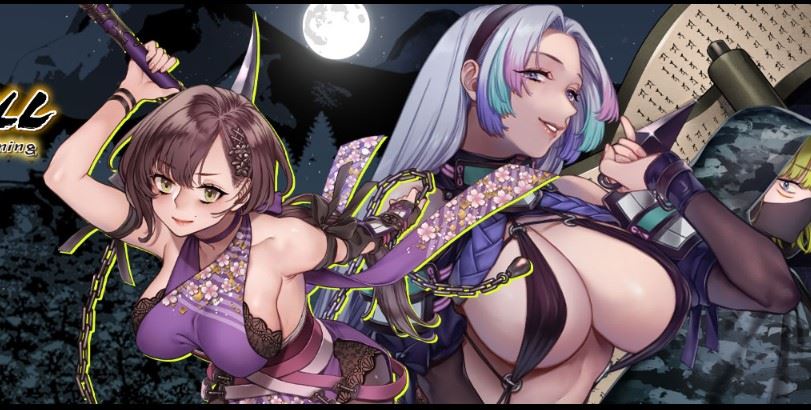
Forbidden Ninja Scroll: Kunoichi Training is a Kunoichi (Female Ninja) adventure game.
Users play as Hachiro — the son of the leader of the Iizuna school of Ninja, and candidate to become the next master.
In the story, Hachiro meets Kunoichi deep in the mountains,
where he undergoes trials to become the Tengu — the head of the Kunoichi harem.
Downloads
vPrototype v1.0Confused about how the downloading works? Here is a handy guide
Windows
Fileknot Gofile Workupload Anonfiles Mixdrop Racaty Uploadhaven
Mac OS
Fileknot Gofile Workupload Anonfiles Mixdrop Racaty Uploadhaven
Copyright and Terms: Lewdzone is a crawling site. We post games like Forbidden Ninja Scroll: Kunoichi Training from trusted sources like Patreon official release, creator's official site and F95. We only share links of files provided by those sources. We do not include/exclude anything to/from the packages. We do not host those files and those files are hosted in public file sharing servers and by the ToS of those servers, it is legal to share any public files.
- 1. Extract and run.
- How to Launch the Game
- Double-click VrAdvEngine.exe for VR or desktop.bat for desktop.
- About OpenXR
- This software runs in the OpenXR environment. For fast operation, it is recommended to use Oculus software when using Oculus Rift or Oculus Link, or Steam VR for HTC Vive, Valve Index, etc. as OpenXR runtime.
- TROUBLE SHOOTING and Q&A
- How to Reset the Direction You’re Facing
- To reset your view, look straight ahead in the direction you want to be the center of your view. Then press and hold the Oculus (Meta) button on the right controller. In your headset, you’ll see the Oculus logo appear with a quickly filling white ring around it. After a few seconds, the ring will reach all the way around the Oculus logo and the virtual world will snap to be centered in your current direction.
- Connect Meta Quest 2 to your PC
- Oculus Link with cable / Oculus Air Link
- https://store.facebook.com/help/quest/articles/headsets-and-accessories/oculus-l...
- For VIVE users
- To advance through the game on the start screen, press the thumb button on the controller.
Prototype v1.0
May 22, 2022
Prototype v1.0
Minimum
OS: Windows 10+
CPU: Quad Core 2.5 GHz
RAM: 8 GB
GPU: GTX 960 / RX 280 (2 GB)
DirectX: 11
Storage: 587.53 MB
Recommended
OS: Windows 10+
CPU: Quad Core 3.0 GHz
RAM: 16 GB
GPU: GTX 1060 / RX 580 (4 GB)
Storage: 587.53 MB
ver 1.2 when?
It’s not available yet.