
FarmD [Ongoing] - Version: 1.9.0


 (97 votes, average: 3.43 out of 5)
Developer:
Softscale
Consider supporting the dev if you like the game and want them to do what they love. Click on dev's link for more info.
Release Date: 10 February, 2026
Game Size: 1.14 GB
Censorship: Uncensored
Game Engine: Unity
Current Game Version: 1.9.0 (Ongoing)
Total Views: 76.8K
Post your problem in our Discord server for faster response. Click here to join.
Game Informations
FarmD is a furry sex sandbox game, focused on engaging in lewd acts with your four-legged dragon friend.
The game is still early in development, and will be expanded to support additional species for the player and partner,
larger world environments, anthro partners, and more!
The game supports both VR and desktop (non-VR) play styles,
with VR being the focus but most content is accessible in either mode.
DISCLAIMER: Hi it’s me game dev. I am not the original poster of this thread (only took ownership later), nor is this thread an endorsement of piracy for my own game because that would be silly. Bug reports are appreciated.
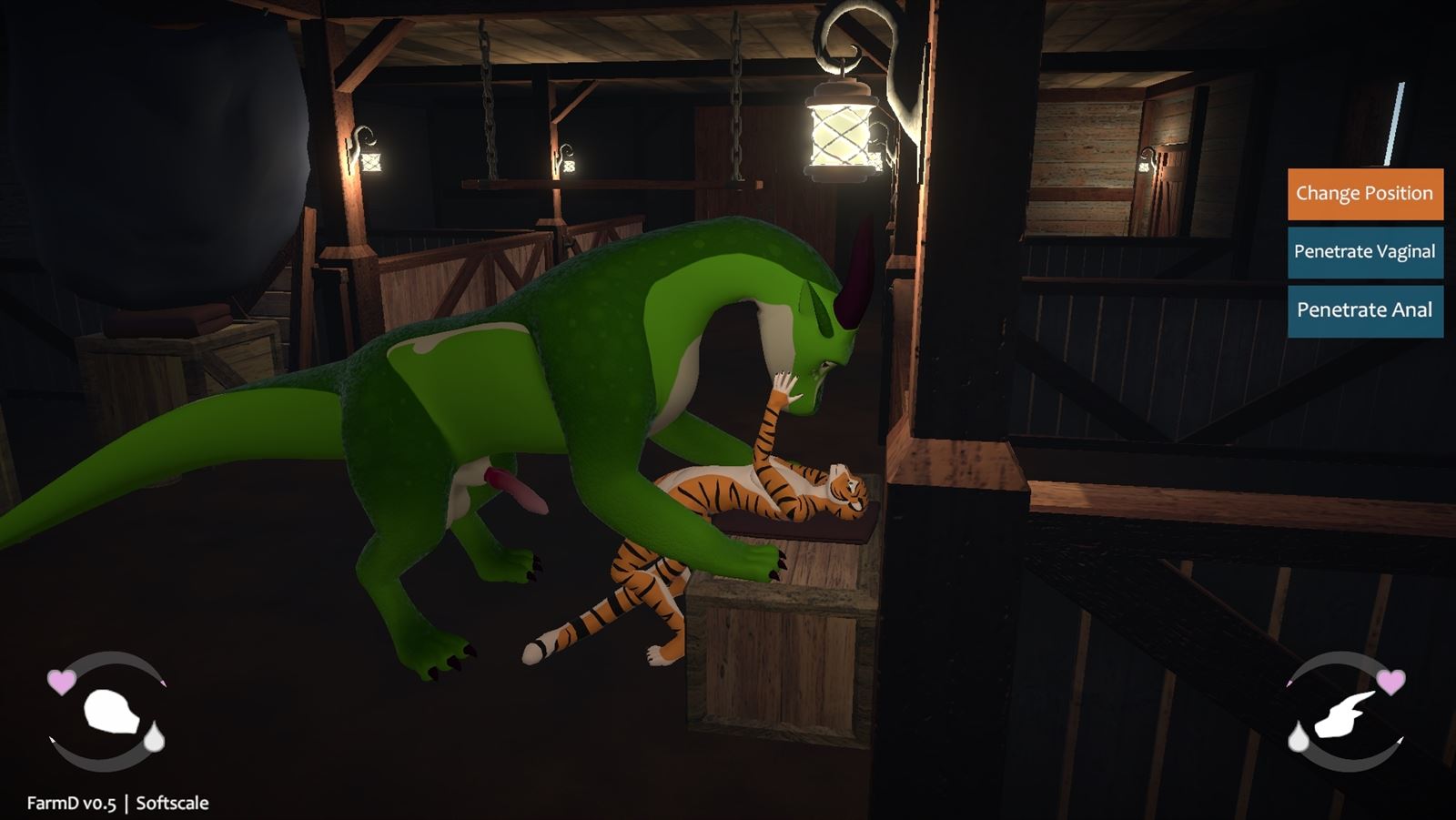
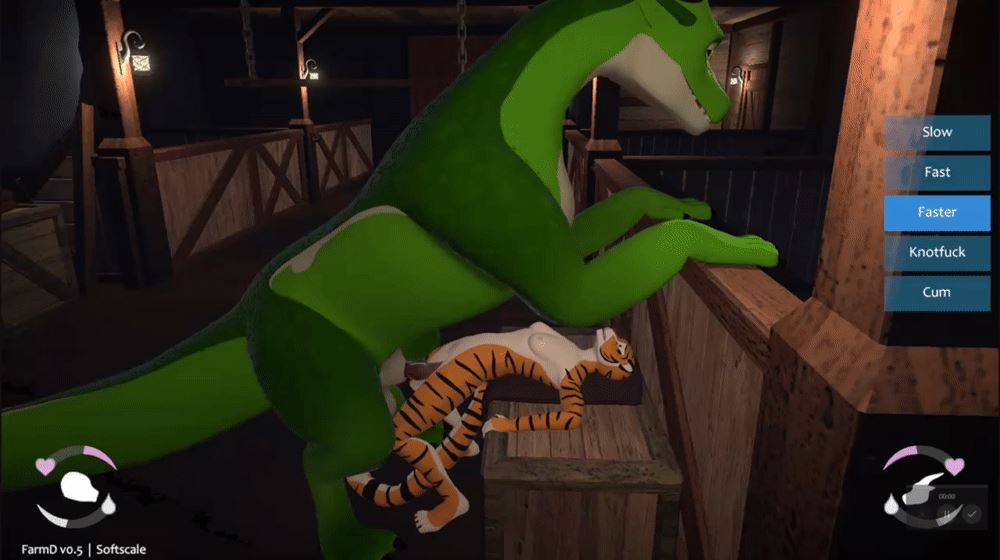
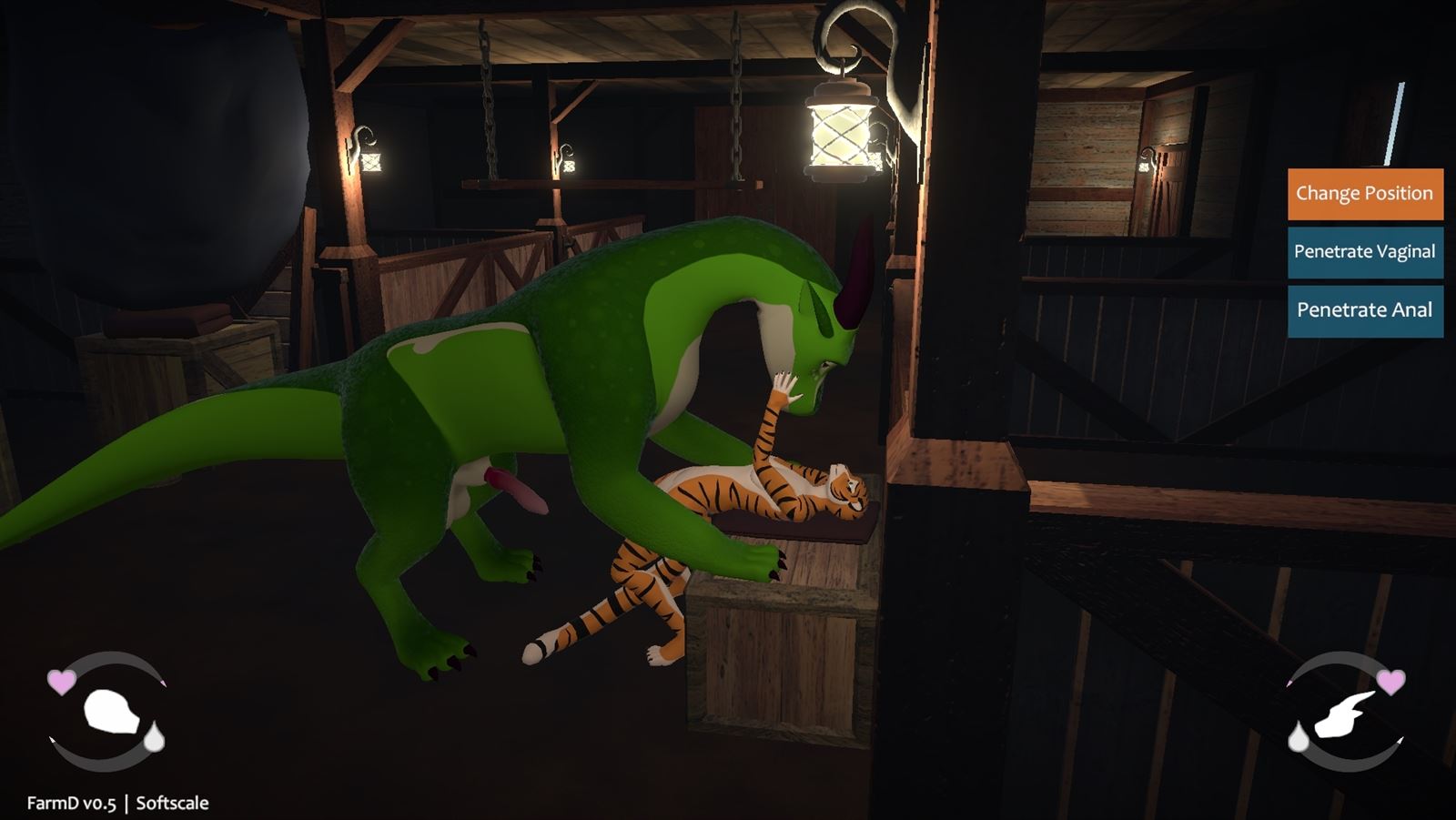
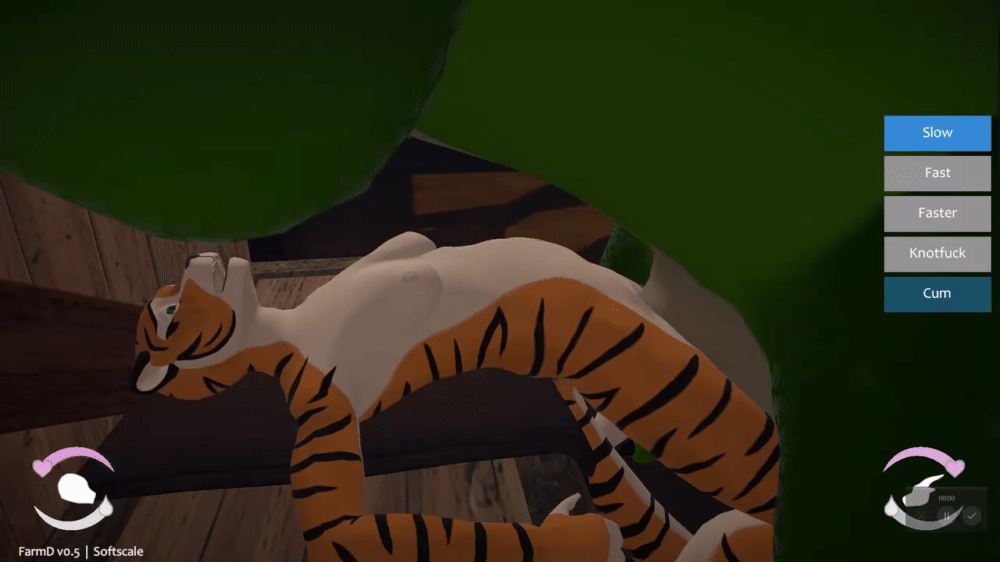
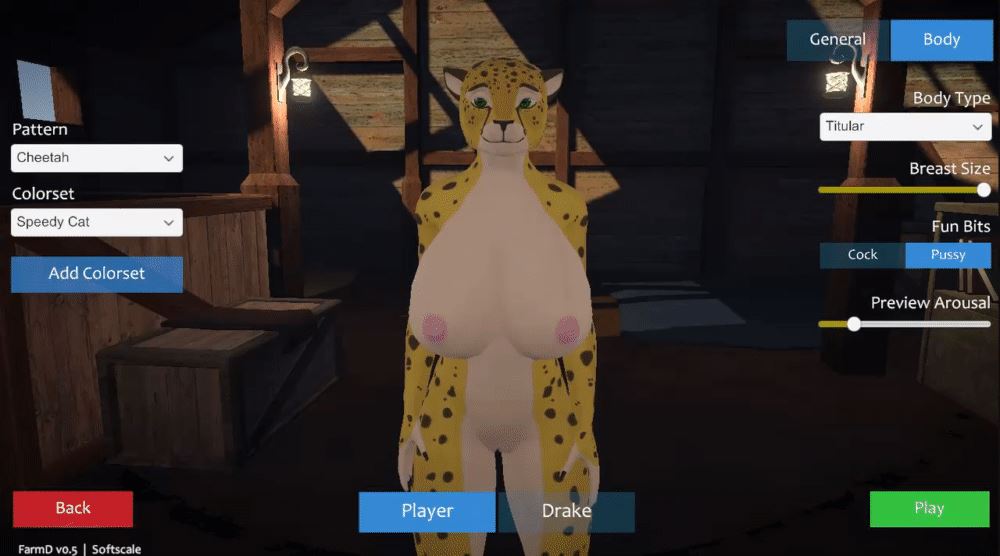
How to install?
- Extract and run.
System Requirements:
- Dual Core Pentium or equivalent Processor.
- Intel HD 2000 or equivalent Graphics.
- 1.14 GB of free disk space (Recommended to have twice as much free disk space than this).
FarmD - Ongoing - Version 1.9.0 Download Links
Confused about how the downloading works? Here is a handy guide
Report only if Mega link or all links except Mega are unavailable. More details about it
Walkthrough and Guide
Character ImporterWhat's New in FarmD Version - 1.9.0?
ADDED
– Added controls for adding and removing partners in the Character Menu. You can also Disable a partner to remove them from the scene without losing their configured data.
– Added a hotkey for cycling through the currently selected partner (desktop: C, vr: right-hand B button).
– You can now play as Feral species by changing the player character’s Body Orientation in the Character Menu.
– Added a new collaborator Spud Dastardly to the team! Doing animation work on some new interactions.
– Added a new Feral/Anthro Servicing interaction, accessible from the solo Feral Lie Down -> Roll Over position.
– Added a new Feral/Feral/Anthro Spitroast interaction, accessible from the new Feral/Anthro Servicing interaction.
– Added a new Anthro/Anthro/Anthro Train interaction, accessible from the Anthro/Anthro Bend Over interaction at the crate or kitchen counter interactables.
– Added an Anthro/Anthro Missionary position on the beds in the house.
– Added cunnilingus to the Anthro/Feral Servicing and Anthro/Anthro Servicing interactions.
– Added a Feral/Feral Riding interaction, accessible from the hay bales and similar interactables.
– Added a freeform Feral/Feral Kissing interaction.
– Added a Feral/Feral 69 interaction, accessible from the Lie Down -> Roll Over position.
– Added a Feral/Feral Missionary interaction, accessible from the Lie Down -> Roll Over position.
– Added a Feral/Feral Tribbing interaction, accessible from the Lie Down -> Roll Over position.
– Added a Feral/Feral Servicing interaction for the hanging plank interactable.
– Added a Feral/Feral Doggystyle interaction, accessible from the solo Bend Over interaction.
– Added a Feral/Feral/Feral Spitroast interaction, accessible from the Feral/Feral Doggystyle interaction.
– Added a Feral/Feral Sleeping interaction on the ground-level bed/blanket interactables.
– Added a Feral/Feral Sleep Sex interaction, accessible from the Feral/Feral Sleeping interaction.
– Added a Feral/Feral Kiss interaction, accessible from the Feral/Feral Sleeping interaction.
– Added a Feral/Anthro Sleep Sex interaction, accessible from the Feral/Anthro Sleeping interaction.
– Added a Feral/Anthro Kiss interaction, accessible from the Feral/Anthro Sleeping -> Roll Over position.
– Added an Anthro solo Kneel interaction.
– Added an Anthro solo Bend Over interaction.
– Added a Feral/Anthro Doggystyle interaction, accessible from the Anthro Bend Over interaction.
– Added a Feral/Anthro Servicing interaction, accessible from the Anthro Bend Over interaction.
– Added a Feral/Anthro Missionary interaction, accessible from the Anthro Lie Down interaction.
– Added an Anthro/Anthro Cowgirl interaction, accessible from the Anthro Lie Down interaction.
– Added a Feral Sexy Pose interaction, accessible from the Feral Lie Down interaction on the sofa.
– Added a Feral Sit Up interaction, accessible from the Feral Lie Down interaction on the sofa.
– Added a Feral Handstand interaction for the hanging plank interactable.
– Added a Feral Sit Up interaction, accessible from the Feral Sit Down interaction.
– Added a Feral Lift Leg interaction, accessible from the Feral Lie Down interaction.
– Added a Feral/Anthro Servicing interaction, accessible from the Feral Lie Down interaction.
– Added a Feral Lift Leg interaction for the Crate or Kitchen Counter interactables.
– Added a Feral Self-Servicing interaction, accessible from the Lie Down -> Roll Over position.
– Added a Feral/Anthro Tribbing interaction, accessible from the Anthro Sit Down interaction on the crate with half-wall interactable.
– Added a Feral/Anthro/Anthro Double Penetration interaction, accessible from the Feral/Anthro Missionary interaction on the hay bales and similar interactables.
– Added a variant of the Belly-Riding interaction with the Anthro character penetrating the Feral.
– Added a variant of the Belly-Riding interaction with the Anthro character giving oral to the Feral.
– Added an “Off” option for partner AI, to prevent partners from choosing any actions or new interactions.
– Partners with AI enabled will now invite you to join interactions with a popup window.
– Partners set to Active AI can now initiate “nested” interactions during the parent interaction, if any are available from the current pose.
– Added sliders to the Character Menu for partners to allow the adjustment of their “boredom rate” – that is, how often they will choose new interactions or pick new actions during an interaction.
– Added new voice packs for Drake and Gryphon. The previous voice packs have been renamed to “Legacy”.
– Added jumping / falling animations for ferals. Also, you can now jump while saddle-riding.
– Characters will now occasionally do alternate idle animations when standing still and not in an interaction.
– Added icons to the pause menu buttons.
CHANGED
– The version of Unity and a number of third-party packages have been updated, and should provide a slight improvement to performance.
– The package used for Simulated fluids has been updated and now uses a GPU solver instead of CPU, which should give better performance in most cases. Simulated fluid properties have also been updated to look a bit nicer.
– Handling for aligning hands and feet to objects in interactions has been changed, and should reduce some inconsistencies in animation of these limbs across different character models.
– Any “Partner”-type interactions available to the player now appear in the Change Interaction menu when not in an interaction, similar to the Freeform interactions.
– Adjusted settings for arousal triggers on penetrables so they can interact with each other, to allow arousal to be gained from kissing / scissoring interactions.
– The ordering of action buttons in a number of built-in transitions has been adjusted for consistency.
– Top-level interactions for characters (Freeform, Partner, etc) no longer show duplicate items in the Change Interaction Menu when they lead to the same role.
– Interactions in the Change Interaction Menu are no longer prefixed with their interactable names at all times, only if there are duplicates with the same name.
– Feral characters now have finger collision and support for curling their fingers.
– Partners now have a Cancel Interaction option when they are waiting for others to join a nested interaction to prevent soft-locks.
– When starting an interaction that requires a partner, if there is only one available partner, they will be automatically invited to join you.
– Partner AI will no longer get bored and choose a new activity while the Change Interaction menu is open.
– Voice packs are no longer limited by body orientation, and can be assigned to any character.
– Changing a character’s voice pack now updates their vocals right away, instead of only after closing the Character Menu.
– The Saliva Strings feature now works properly for Feral characters.
– Cum emission speed no longer scales with cock size, to prevent issues with fluids not emitting at small sizes.
– Reworked the character expression system, which should mostly be unnoticeable but has fixed a few edge-case bugs and fixed some layering/override issues.
– Bumped up the lighting brightness in the grotto and farmhouse basement.
FIXED
– Fixed a bug that could cause partner AI to stop choosing new interactions in some scenarios.
– Fixed a bug that was causing duplicate vibration devices to get added in the profile, and causing incorrect behaviour in the Vibrators panel like settings not being saved correctly.
– Fixed some bugs where the “Change Interaction” button would not appear in some situations after exiting an interaction or resetting characters.
– Fixed a bug where unavailable interactions/roles could sometimes be listed in the “Change Interaction” menu, causing characters to get softlocked when trying to start them.
– Fixed a bug where some animated properties would not reset to their defaults correctly when exiting an interaction in some scenarios, especially using the Reset Characters button.
– Fixed some situations where a character’s mouth could get stuck open.
– Fixed an error that could occur when trying to load a character model with incorrectly configured touch targets.
– Optimized some files to cut down RAM/VRAM usage in general and help prevent crashes on lower-end systems, reduce the game’s file size, and improve loading times when changing scenes.
– Fixed floor colliders in the Farmhouse scene to help prevent fluids from falling through.
– Fixed some physics issues that could occur when changing character species while at a non-standard scale.
– Fixed some physics issues with characters’ balls, especially when the character has a small size.
– Fixed bugs with the player character model’s draw distance when in third-person view, and occasional issues with the “Toggle Muzzle” setting not working correctly.
– Fixed some error handling when loading interactions that have invalid versions.
– Fixed UI overlap issues in the Character Menu for characters that have lots of customization options, such as the Kobold.
– Creating a new save file while already in-game will keep you in the same scene instead of defaulting to the Valley scene.
– Enabling and disabling interactions in the Interaction Library now correctly updates their availability in-game.
– Fixed an error that could occur when loading a species that doesn’t have a tail.
– Fixed some errors that could occur when reloading character species in the Character Menu.
– Fixed an error that could occur when falling out of the world during an interaction, such as when Saddle Riding.
– Fixed animation issues that could occur in some scenarios when idle animations were interrupted.
– Fixed the player’s hands making constant skin-rubbing impact sounds when moving around.
– Fixed an occasional error that could pop up when an interaction ends just as one of its transitions is starting.
– Fixed some neck twist issues that could occur on Feral characters, especially with custom characters.
– Fixed an intermittent bug that could cause an anthro character’s hands/fingers to not initialize correctly when loading a save file or changing species.
– Simulated fluid quality settings are now being properly applied when launching the game.
– Fixed a bug where simulated fluids would render opaque instead of transparent in some scenarios.
– Fixed a bug where fluids would sometimes not collide correctly with characters.
– Fixed simulated fluids behaving strangely when the player is far away from the center of the map.
– Fixed some lighting issues with the exterior of the farmhouse.
– Fixed mipmap issues causing visible seams on some character models.
NOTES
– Due to API changes, any interactions made in v1.8.1+ will not be compatible with older versions of the game.
[desktop]
ADDED
– Added a “Kiss” action to the Feral/Anthro Mawplay interaction.
– Added an Anthro/Anthro Kissing interaction with your partner.
– Fixed alignment issues that could occur with characters’ heads during some interactions when in first-person view.
– Fixed an error that could occur when reassigning hotkeys.
CHANGED
– Equipped items can no longer be removed during interactions.
FIXED
– Fixed an issue with the Feral/Anthro servicing interaction where the POV camera range would remain restricted after exiting the “nuzzle sheath” action.
– Fixed the Feral/Anthro servicing interaction missing the “finger sheath” hand actions when the feral partner has a sheath.
[vr]
ADDED
– Restored support for picking up anthro partners by the hips and carrying them.
– Touching lips with your partner will now trigger kissing expressions for both characters.
– Added a “Toggle Hand Control” action when playing as Feral to set whether the feral’s hands are tracking to the controllers or controlled by animation.
CHANGED
– The radial menus for configurable objects like the VR camera can now be used while the menu tablet is active.
– Certain UI/HUD elements are no longer rendered in the VR camera object’s screen, to reduce clutter.
– Pinning the mirror in place will now keep it active when changing between characters in the Character Menu.
– For better alignment and compatibility with nested interactions, the Anthro/Anthro Bend Over interaction on the crate or kitchen counter now requires the VR player to properly “join” the interaction when in the Top role, rather than being able to move around freely.
– For better support for directing two partners to do an interaction that previously would have allowed the VR player not to “join” directly, such as the Feral/Anthro Servicing position on the hanging plank, there is now a confirmation popup when directing the partner to start this interaction which allows you to join it yourself or direct another partner to join instead.
FIXED
– Fixed some collision issues to make fingering/fisting your partner a bit easier.
– Selecting UI elements from lists in the character Body menu, such as cock types and cosmetic options, should work more consistently now.
– Fixed an error popup and collision issues when inserting a dildo into a character’s holes.
– Fixed some error spam if the SteamVR menu is opened during gameplay.
– Fixed an intermittent issue where the player’s hands would collide with their own arms, causing them to try to fly away from the player’s body.
– Fixed a bug where the trigger zones attached to feral partners’ head and rear could not be targeted with the Interact pointer in VR mode.
– Fixed a bug where interactions that allowed for player movement would cause the player to fall through the floor in VR mode.
– Fixed an error that could occur in some interactions where the VR player is not required to join.
– Adjusted the size and position of the “wetness painter” for the VR player’s lips, so it should better match where the lips are for Anthro and Feral characters.
[interaction studio]
ADDED
– Added many new touch target types, so you can attach limbs to a character’s body in more places.
– Added a “Penetration Angle” animation track type, to adjust the angle of penetration for a cock going into a penetrable.
– Added a “Cock Base Angle” animation track type, to adjust the angle of a character’s cock instead of always pointing directly forward.
– Added a “Full Character” animation track type, to move the character’s entire body at once.
– Added a new Play Emote animation event type, which can trigger various expression emotes defined for the character in the importer SDK.
– Added a “Kissing” expression option to the Set Expression animation event.
– Added a Transitions section when selecting a State in the State Machine Editor, so the transitions can be sorted to determine the order their action buttons are listed on screen, and the order their conditions are evaluated.
– The camera in the Interaction Studio can now be moved using the WASD keys.
– The first-person camera is now available in the Animation Editor (hotkey: V), and will take the role of the character that is currently being animated.
– You can now toggle between local and global position/rotation gizmos (hotkey: G) in the Animation Editor.
– Added headings/groupings to the Add Tracks modal in the Animation Editor to better organize the list of objects.
– Added a hotkey for selecting all keyframes in the current animation (default: K).
– Holding the Alt key and clicking on a track in the animation editor now selects all of the keyframes on that track.
– Holding the Alt key and clicking on a keyframe in the animation editor now selects all of the keyframes on the same frame.
– Holding the left Ctrl key and clicking on the change-animation buttons in the animation editor now skips inactive animations and selects the next active animation.
– Added a “None” option to the Allow Character Movement special behaviour, so the regular walk-cycle animations can be fully overridden by interactions while moving.
– Added a “Copy From State” button when setting the VR Headset Marker for a role, to copy the position of the character’s head from an animation instead of needing to set it manually.
– Added a “Copy From Parent” button when setting the VR Headset Marker for a role, to copy the position from the parent role if in a nested interaction.
– Added an Author field to interactions.
– Added some error/warning validation to the Interaction Studio to indicate scenarios when an interaction is misconfigured and may not work in-game, particularly for nested interactions.
CHANGED
– The internal alignment handling for hands and feet has changed slightly for non-Default alignment targets. Any animations that aligned a hand or foot to a touch target or cock may need to be updated. Additionally, alignment with these limbs should now be functioning properly for Feral characters.
– The “Rimming Lick” expression is now implemented for Feral characters.
– Tweaked some thresholds for the alignment system when aligning cocks and penetrables, or two penetrables together, to reduce the likelihood of characters getting rotated around the wrong way.
– The first role in a character-based interaction (freeform, partner, etc) now correctly locks its interaction marker position to (0,0,0) to prevent animation/navigation issues.
– Pressing Tab when any of the X/Y/Z input fields for editing a keyframe have focus now cycles through those fields.
– The escape key now closes the Interaction Library menu for consistency with other menus.
FIXED
– Fixed an error that could occur when copying an interaction that has “broken” conditions, such as referencing a state that has been deleted.
– Fixed errors that could appear when moving or rotating the camera plane for an interaction.
– Fixed errors that could occur when scrubbing the timeline past animation events with invalid targets, for example a “Change Alignment” for a cock on a character that doesn’t have one.
– Fixed a few edge-case issues that could occur as a result of animations not getting reset properly on a character after exiting the animation editor.
– Changing properties of the “Change Alignment” event while the timebar is within the duration of the event transition now applies the new settings correctly.
– Fixed some scenarios where animations that had multiple “Change Alignment” events or event tracks were behaving incorrectly when scrubbing in the animation editor.
– Fixed a bug where the “Head Offset” object would be locked to one rotation in the animation editor in some scenarios.
– Grouped animation sets which use synced animations will no longer show the action buttons for roles that have no unsynced animations in their groups.
– Weighted or grouped animation sets now properly stop playing the synced animation when the partner it is synced to changes to a different animation or group.
– Fixed the visual position of characters in nested interactions that are linked to parent roles, which were incorrectly placed when editing role markers.
– Fixed an error that could occur when executing transitions from an Any state that didn’t use the action button.
– Characters’ mouths now properly cause arousal gain when colliding with their own penetrables.
– Fixed an error when playing synced animations, if the synced animation has no animation clip assigned.
– Fixed characters’ limbs being reset to their default targets when walking around in interactions that allow movement.
– Fixed some limb animation issues when using the Attach Characters special behaviour.
– Fixed some character rotation issues that could occur with partners when using the Attach Characters special behaviour.
[importer sdk]
ADDED
– All characters are now required to have hand-palm and foot-sole objects defined, for the interaction studio to use for alignment. These fields have been added to the Limb Setup module along with an Initialize button for generating the objects at their expected orientations, which should then be tweaked as needed. See the Example scenes for the expected placement on characters.
– Added a field in the Cock module for Cock Rotation Base, to allow the cock’s rotation to be animated in interactions. This should be the sheath bone for any sheathed characters to prevent clipping issues, or just the cock base bone otherwise. Additionally, you can define override objects in the Sheath Type in Configurable Parts in order to use different rotation roots with different sheath types.
– Added many new touch target types – use the Generate Touch Targets button to add the new ones to existing characters.
– Added some more validation for some fields, to prevent errors when building the package or loading in the game.
– Added new Expression emote types – smile, snarl, playful, and yawn.
– Added support for a Kissing expression loop.
CHANGED
– Due to API changes, any .fdc files built before v1.8.1 need to be re-exported with the Importer v1.8.1+ in order to work correctly in v1.8.1+ of the game.
– The version of Unity was updated to 6.0.49f1, so any projects that use the Importer package may also need to be updated to a 6.0.x version to work correctly.
– New touch targets created using the Generate Touch Targets button are now placed at the expected orientation for animations to work, so they should require much less tweaking and trial-and-error. Also see the Example scenes for the expected placement on characters.
– A script used by the PlayerTouchTrigger prefab has been updated (CompoundTriggerPlayerTouch), which in built-in models is used to control the trigger zones for the left and right eyes closing when a player’s hand is nearby. If you had used this prefab in your custom characters, make sure to update its Expression Type value accordingly.
– The “Head Offset” is now required for Feral characters like it was for Anthros, to establish the orientation of the VR headset / POV camera on the character.
– Feral characters can now do the Hand/Finger setup to initialize finger controls. This requires the use of a Humanoid Unity Avatar on the model to assign the hand/finger bones, as well as a Finger Curl expression animation to define the open and closed poses for the hands.
REMOVED
– Removed the “Status / Available Activities” section from the Character Importer component since it was out of date and not set up to handle the new interaction system.
– The “Is Slit” flag on configurable sheath types has been removed since it is no longer used in-game.
Porn Games of interest:

- Do not post same comment twice, your pending comment will be moderated, approved and replied by a stuff soon.
- Do Not ask for new updates/"when it will release" etc unless it is already released by developers. We do not develop games, use common sense.
- Use English Language only.
- You can click the bell icon before commenting to get mail whenever someone replies your comment. Great way to be notified if you are posting questions, be sure to provide correct email in that case.
- If you want to ask features of games like Bugfixing, save file support, new content ideas etc then please contact the game developer, Softscale .
- You can help us by reporting dead links, wrong informations, new available updates etc in the comment section.
If you have a problem, post in these links. Keep Comment section clean
New Update?
Request here
Install Problems?
Post your problems here
Broken Links?
Let us know here
Bugs in game?
Use this forum to report it