
Finished
v1.3.30 Deluxe
Anomalous Coffee Machine
More by HoruBrain

2DCG
Animated
Big Tits
Corruption
Creampie
Footjob
Furry
Futa/trans
Gay
Groping
Handjob
Internal View
Male Domination
Male Protagonist
Mobile Game
Monster Girl
Oral Sex
Parody
Simulator
Transformation
Vaginal Sex
About Anomalous Coffee Machine
Anomalous Coffee Machine is a unique visual novel interactive simulation style game where you encounter a mysterious girl that, for unknown reasons, asks you to use and explore her mysterious and seemingly anomalous coffee vending machine (like SCP-294)!
Downloads
Confused about how the downloading works? Here is a handy guide
Windows
Fileknot Transfaze
Android APK
Fileknot Transfaze
Mac OS
Fileknot Transfaze
Linux
Fileknot Transfaze
Windows
Datanodes Mega Pixeldrain Vikingfile Workupload
Android APK
Datanodes Mega Pixeldrain Vikingfile Workupload
Mac OS
Datanodes Mega Pixeldrain Vikingfile Workupload
Linux
Datanodes Mega Pixeldrain Vikingfile Workupload
Copyright and Terms: Lewdzone is a crawling site. We post games like Anomalous Coffee Machine from trusted sources like Patreon official release, creator's official site and F95. We only share links of files provided by those sources. We do not include/exclude anything to/from the packages. We do not host those files and those files are hosted in public file sharing servers and by the ToS of those servers, it is legal to share any public files.
- Extract and run.
Walkthrough & Guide
Cheat & Combinations
Modding Tools (Windows): FILEKNOT - ANONZIP
Cheat Table: FILEKNOT - ANONZIP
How do I get a copy of Cheat Engine:
There are several ways to download the tool:
NB: Cheat Engine is available on Windows and MacOS only.
NB: Make sure you have the LATEST or at least a penultimate version of CE when using others' cheat tables to avoid incompatibility issues
How does Cheat Engine work:
It's basically a debugging tool on steroids. There's a lot to unpack on how it works, but my scripts rely on AOB signatures (be they hardcoded ASM cheats, pointers with offsets, etc) and LUA scripting. The challenge is to create consistent and resilient cheats working between versions, but there's nothing permanent with compilers and optimizations.
AOB signatures work like this: a byte signature is scanned to find the first match in the .text (code) section, then CE gracefully injects a detour jump to the allocated cheat script (or in a code cave) that tweaks the game behavior and then returns to the next instruction after the injection. Sometimes AOB-based cheat scripts modify a function's behavior in-place.
Lua scripts that are running in the CE's lua engine are basically meta-scripts to extend CE's functionality with a neat API.
Where do I put a cheat table / .CT file:
Wherever you deem suitable, usually tables are standalone .CT files and making dependencies for them isn't a good practice. When you run a cheat table, it's loaded into and interpreted by Cheat Engine.
How to use Cheat Engine:
First of all, make sure your Cheat Engine instance is running with administrator rights to make sure it is able to read, write to memory properly. To do that, you can grant administrator rights by clicking RMB on Cheat Engine shortcut (to open its context menu), then go to Properties -> Compatibility (tab) and tick 'Run this program as an administrator'. Likewise, you can go to CE settings (when in the CE GUI, Edit->Settings) you can also find 'Always attempt to launch as admin' option. Or if you need it once, just run CE as an administrator (RMB on the CE shortcut, 'Run as an administrator'
For cases when tables DON'T have an attach script in them:
When Cheat Engine is opened and/if a cheat table for a specific game is loaded into it, the first thing that's needed is to attach to the specific game executable.
Attach button is highlighted:

After pressing this button, you will see active processes with their PIDs exposed by Windows. If you struggle to find yours, check other tabs, there are 3 of them: Application, Processes, Windows.
For cases when tables DO have an attach script in them:
You'll see a script like *this*, just activate the checkbox. Does it fail to attach? Please read 'Why does the attach script fails when I activate it?' below
Attach script:

Once you are attached, activate other scripts that you need and have fun. Usually scripts are quite simple to use, but if there are instructions, just follow them to make it work. Sometimes certain actions are required for scripts to work properly, .e.g pressing a button to catch a pointer, loading into the game/level world to ensure a character actor is constructed, etc.
Sometimes scripts will fail to be executed. Usually the error will be written in the context menu of a script that's failed (just click RMB on the failed script, the first row will be the error message). Some scripts may print errors/tracebacks into the CE Lua Engine output window: either way, when you report an error, provide the reason WHY it fails.
Error Example: AOB not found:

If a script activates, but the intended behavior is not achieved (you'd be lucky if it doesn't crash though), most probably there was a game update that touched offsets (provided the table was based on any, which is probably the case) - a new field added, hence game compiled differently, a different game engine version used, or whatever that caused the shift. That means the table has to be updated - it's obvious if the game was updated recently, but the table was posted long before.
ALSO: go to 'OK, I'm attached to the game correctly, but next scripts fail to run OR crash the game. What's wrong?'
Modding Tools (Windows): FILEKNOT - ANONZIP
Cheat Table: FILEKNOT - ANONZIP
How do I get a copy of Cheat Engine:
There are several ways to download the tool:
- Official Cheat Engine website - a free, compiled executable. While installing, make sure you decline all adware
- Dark Byte's Patreon - $2.5/mo membership to get the latest releases and hotfixes already compiled
- Cheat Engine Github - if you want to compile it or CE github releases
NB: Cheat Engine is available on Windows and MacOS only.
NB: Make sure you have the LATEST or at least a penultimate version of CE when using others' cheat tables to avoid incompatibility issues
How does Cheat Engine work:
It's basically a debugging tool on steroids. There's a lot to unpack on how it works, but my scripts rely on AOB signatures (be they hardcoded ASM cheats, pointers with offsets, etc) and LUA scripting. The challenge is to create consistent and resilient cheats working between versions, but there's nothing permanent with compilers and optimizations.
AOB signatures work like this: a byte signature is scanned to find the first match in the .text (code) section, then CE gracefully injects a detour jump to the allocated cheat script (or in a code cave) that tweaks the game behavior and then returns to the next instruction after the injection. Sometimes AOB-based cheat scripts modify a function's behavior in-place.
Lua scripts that are running in the CE's lua engine are basically meta-scripts to extend CE's functionality with a neat API.
Where do I put a cheat table / .CT file:
Wherever you deem suitable, usually tables are standalone .CT files and making dependencies for them isn't a good practice. When you run a cheat table, it's loaded into and interpreted by Cheat Engine.
How to use Cheat Engine:
First of all, make sure your Cheat Engine instance is running with administrator rights to make sure it is able to read, write to memory properly. To do that, you can grant administrator rights by clicking RMB on Cheat Engine shortcut (to open its context menu), then go to Properties -> Compatibility (tab) and tick 'Run this program as an administrator'. Likewise, you can go to CE settings (when in the CE GUI, Edit->Settings) you can also find 'Always attempt to launch as admin' option. Or if you need it once, just run CE as an administrator (RMB on the CE shortcut, 'Run as an administrator'
For cases when tables DON'T have an attach script in them:
When Cheat Engine is opened and/if a cheat table for a specific game is loaded into it, the first thing that's needed is to attach to the specific game executable.
Attach button is highlighted:
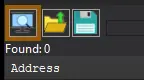
After pressing this button, you will see active processes with their PIDs exposed by Windows. If you struggle to find yours, check other tabs, there are 3 of them: Application, Processes, Windows.
For cases when tables DO have an attach script in them:
You'll see a script like *this*, just activate the checkbox. Does it fail to attach? Please read 'Why does the attach script fails when I activate it?' below
Attach script:

Once you are attached, activate other scripts that you need and have fun. Usually scripts are quite simple to use, but if there are instructions, just follow them to make it work. Sometimes certain actions are required for scripts to work properly, .e.g pressing a button to catch a pointer, loading into the game/level world to ensure a character actor is constructed, etc.
Sometimes scripts will fail to be executed. Usually the error will be written in the context menu of a script that's failed (just click RMB on the failed script, the first row will be the error message). Some scripts may print errors/tracebacks into the CE Lua Engine output window: either way, when you report an error, provide the reason WHY it fails.
Error Example: AOB not found:

If a script activates, but the intended behavior is not achieved (you'd be lucky if it doesn't crash though), most probably there was a game update that touched offsets (provided the table was based on any, which is probably the case) - a new field added, hence game compiled differently, a different game engine version used, or whatever that caused the shift. That means the table has to be updated - it's obvious if the game was updated recently, but the table was posted long before.
ALSO: go to 'OK, I'm attached to the game correctly, but next scripts fail to run OR crash the game. What's wrong?'
1.3.30 Deluxe
Feb 16, 2026
major update features 40+ lewd scenes reanimated from scratch!
Minimum
OS: Windows 7+
CPU: Dual Core 2.0 GHz
RAM: 4 GB
GPU: Integrated Graphics
Storage: 1.77 GB
Recommended
OS: Windows 10+
CPU: Quad Core 2.5 GHz
RAM: 8 GB
GPU: Any dedicated GPU
Storage: 1.77 GB
Pls update this game to 1.3.00 (the latest ver) also if it have deluxe ver of it add it too and if there is dlc in this game add. And update the cheat sheet or modding tools if there is any.
The game is updated to the latest version.
Pretty fun, mildly sexy, very morbid. There are so many transformations it’s kinda crazy
when will the updated cheat sheep drop?