
Finished
vFinal
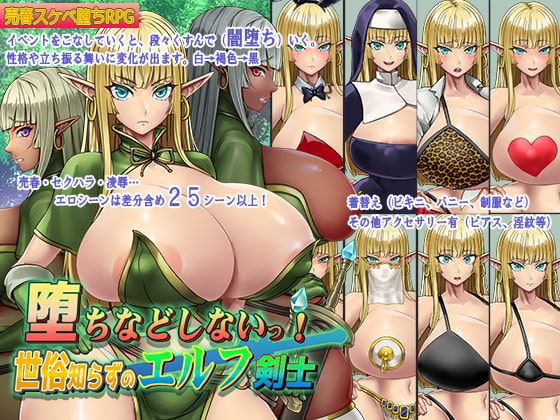
You Can’t Corrupt Me! ~Tale of the Naive Elven Swordswoman
Developer
Saohime Darc
Engine
RPGM
Version
Final (Finished)
Released: Jul 16, 2023
Updated: Aug 10, 2023
Censorship
Censored
2D Game
2DCG
Ahegao
Anal Sex
Big Ass
Big Tits
Censored
Corruption
Creampie
Drugs
Female Protagonist
Groping
Handjob
Interracial
Japanese Game
Monster
Oral Sex
Pregnancy
Prostitution
Rape
RPG
Sexual Harassment
Shota
Spanking
Tentacles
Titfuck
Vaginal Sex
Voyeurism
About You Can’t Corrupt Me! ~Tale of the Naive Elven Swordswoman
Elseyu is a distant elven village far from human society.
Ryun is a hardworking and proper elven woman who is trusted by her people,
and lives happily in the village.
Downloads
vFinalConfused about how the downloading works? Here is a handy guide
Copyright and Terms: Lewdzone is a crawling site. We post games like You Can’t Corrupt Me! ~Tale of the Naive Elven Swordswoman from trusted sources like Patreon official release, creator's official site and F95. We only share links of files provided by those sources. We do not include/exclude anything to/from the packages. We do not host those files and those files are hosted in public file sharing servers and by the ToS of those servers, it is legal to share any public files.
- Enable Japanese Locale, then extract and run.
Walkthrough & Guide
How to fix naming issue: use WinRAR for files that contain japanese text. This works both ways, conserves jap filenames when storing, AND lets you fix broken encoding when extracting. (Open a broken zip in WinRAR and press ctrl-e, select 932 Japanese Shift-JIS, extract like normal)
Note: You can still use other apps like 7z to *store* as other formats, but winrar itself is needed to fix already broken ones. It's specifically .zip format that breaks asian text in filenames.
Note: You can still use other apps like 7z to *store* as other formats, but winrar itself is needed to fix already broken ones. It's specifically .zip format that breaks asian text in filenames.
Minimum
OS: Windows 7+ / macOS 10.13+ / Linux
CPU: Dual Core 2.0 GHz
RAM: 4 GB
GPU: Integrated (OpenGL 2.1)
Storage: 597.0 MB
Recommended
OS: Windows 10+ / macOS 12+ / Linux
CPU: Quad Core 2.5 GHz
RAM: 8 GB
GPU: Any dedicated GPU
Storage: 597.0 MB
missing file in title 1
Ditto. It happens when it’s loading to the title screen itself.
It’s not missing the file, just not named properly. You’ll have to go into the files and fix the title file. It’s in the “www” folder, then the “img” folder, then the “titles1” folder. The file that needs to be renamed should be the first one and should have a file name that isn’t really a word and is just some symbols.
You can copy and paste this to rename it.
タイトルロゴ
it also fails to load some audio files in audio/bgm… im actually seeing many files with corrupt names
How to fix the bgm
just rename the audio file with A6 at last with エルセイユ
I can’t find the file
BGM06_Ħ.ogg
is there one available where the files are translated properly or at least it has the right file names to pull?
missing file audio bgm
if anyone one is having issues with files looking corrupted with random characters and then it errors once you run the game its because your system locale for non Unicode programs needs to be set to Japanese, (it does not change everything on your computer to Japanese so don’t worry) All you gotta do is goto settings > Time and language > Language > Administrative language settings > Administrative > Language for non Unicode programs > set that to Japanese and restart your computer and re install the game