
Timestamps: Lost Love
More by Motkeyz

About Timestamps: Lost Love
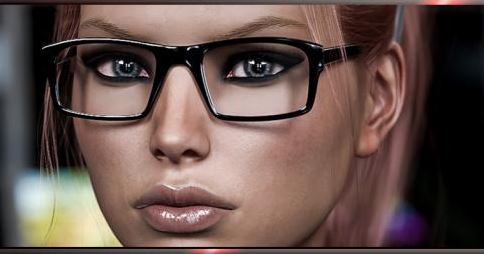
Second chapter of the game. You’re a college student who’s lustful desires have caused you to make horrible mistakes. But lucky for you, your best friend has found a way to manipulate time… You have the chance to go back and fix some of your mistakes… Will you correct the things in the past to make your life better or will you make it worse. You can make new decisions follow new paths try to get everything you desire or you just might continue to fuck things up… The only good thing is time is on your side. There are so many paths to follow… Will you help them make the good choices?
This games can collect and send anonymous user statistics over internet to Unity if you allow it through the firewall. This is only to help the developers see how many people are playing, if you don’t like it you can block it via firewall!
Downloads
Confused about how the downloading works? Here is a handy guide
- Windows:<br>Extract the files and run.
- Mac:<br>Open Terminal.app and type:<br>chmod -R a+x '[drag and drop game folder]' (hit enter)<br>Note: After you drag and dropped the game folder into Terminal.app make sure in front and end of the path apostrophes are added (').
- Uncensor Patch Instructions:<br>DO NOT EXTRACT - It's not meant to be extracted just copy the file as is to<br>PC: "Lost Love_Data/LANGUAGES" folder.<br>MAC: "Contents/Lost Love_Data/LANGUAGES" folder<br>AFTER INSTALL: Start game, click on the english flag with "UNRATED", then it will apply the patch, and it will remember every time you start the game, so you don't have to click it again.<br>Good luck!<br>Do not rename, do not open it, do not extract it, just copy it as is.
Walkthrough & Guide
Save location:
Saves are located in hidden folders!
Save location on Windows (use Windows+R):
%localappdata%/VNGINE/Timestamps Lost Love/Saves
Save location on Mac (Use Finder):
~/.local/share/VNGINE/Timestamps Lost Love/Saves
and you need to show hidden files to see it (Shift+Command+.)
Save location on Linux:
~/.local/share/VNGINE/Timestamps Lost Love/Saves
Continuation from Timestamps: Unconditional Love
Plenty of very explicit content.
Over 8500 High Quality images and more than 320 animations.
Fully optional smoking elements.
Around 15+ hours of gameplay.
Mood-fitting music tracks and sound effects.
Minimum
OS: Windows 10+
CPU: Quad Core 2.5 GHz
RAM: 8 GB
GPU: GTX 960 / RX 280 (2 GB)
DirectX: 11
Storage: 5.75 GB
Recommended
OS: Windows 10+
CPU: Quad Core 3.0 GHz
RAM: 16 GB
GPU: GTX 1060 / RX 580 (4 GB)
Storage: 5.75 GB
this game is exceptionally goooooooood. great work of art, great animations, powerful story, fuuuuuuuck
The story and the game play are both boring as hell but the animations and scenes are good. Left Shift is for skipping the text and I used to very liberally, that’s why I enjoyed playing it, scene to scene.
There is a bug, current windows version (R11 PE) breaks during day 18.
incest patch don’t work “old version”
The patch only for latest version.
It’s good for u, ain’t it?
Is there an android verison
It’s not available yet.
How do I correctly add the patch to the game
DO NOT EXTRACT – It’s not meant to be extracted just copy the file as is to
PC: “Lost Love_Data/LANGUAGES” folder.
MAC: “Contents/Lost Love_Data/LANGUAGES” folder
AFTER INSTALL: Start game, click on the english flag with “UNRATED”, then it will apply the patch, and it will remember every time you start the game, so you don’t have to click it again.
Good luck!
Do not rename, do not open it, do not extract it, just copy it as is.
how to pass through fake ending when that scene complete i suppose to check on beach but nothing happens task says got to chocleteria and the same scene happens repeatedly
what should i do?
I have the same problem what should we do ? How to fix this bugg ?
where can I find chapter 1?
It’s not available yet.
Update?
The game is updated to the latest version.
BAD game FULL with NTR.
i cant load saved file (Save1.save)
does not showing up in the game
I am getting weird dialog issues and not sure how to fix. dialog choices grow really big and cant make a choice or skip forward
hello. please help, I’ve been playing this game from the beginning and now this sequel won’t work for me, the game starts and freezes. Does anyone know what needs to be done to make it work ok. thanks in advance to everyone