
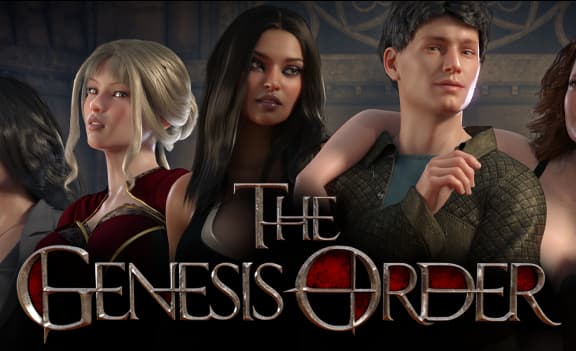
The Genesis Order
More by NLT Media





About The Genesis Order
The Genesis Order is the latest chapter in NLT’s saga which started with Lust Epidemic, continued in Treasure of Nadia and will now start a new chapter later in 2021 alongside the ending of Treasure of Nadia. The game will feature some familiar faces as well as many new ones, including 13 new ladies! In TGO you’ll play as a junior detective trying to make a living and peruse your passion solving crimes and meeting gorgeous women. This complex story unwinds with as many twists and turns as you’d expect from an NLT game!
Android users getting black screen; turn on Low Quality Video in the options menu.
Please read the developer notes
Downloads
Confused about how the downloading works? Here is a handy guide
- Windows and Android:
- Extract and run.
- MacOS: The instructions for mac should be added to the OP, this thread gets too many replies and they get lost after a little time. I don't play on mac but there are many people asking all the time.
- Thanks a lot for the tip ! I tried an adapted version of this process on Mac and it worked.
- Here it is :
- How to update on Mac with Windows update files:
- Summary: download the windows update, take its "www" folder and merge it with the "app.nw" folder of the game app.
- Detailed steps on how to do this:
- Copy your game folder (to be able to rollback in case something fails).
- Download the windows update folder and extract the zip. Open the extracted folder and rename the "www" sub-folder to "app.nw" and copy it.
- Go to the game folder, right click on the "Game" application and select "Show Package Contents". There paste the new
- "app.nw" you copied.
- In the Package Contents you'll now find the following folders structure: "app.nw" (the one you just pasted at step 3) and "Contents" > "Ressources"> "app.nw" (the original app.nw). What we want to do is to merge the new and old
- "app.nw" to have it updated.
- To do this: drag and drop while holding the "Option" key the new "app.nw" to the "Contents"> "Ressources" folders. On the pop-up choose the "Merge" option, which will merge the folders.
- Optional: Delete the extra "app.nw" folder you created at step 3. That way you'll be all clean and able to repeat this guide for next update !
Walkthrough & Guide
Walkthrough: FILEKNOT - ANONZIP
FAQ/Save Files: FILEKNOT - AZONZIP
Cheat Mod v1.05: FILEKNOT - ANONZIP
Cheat Mod Installation:
Windows: Go into the game folder www>data . Extract or copy the mod files into this folder replacing the old file.
Mac: Replace the map028.json and common events file wherever that is stored normally under www>data in the game folder
Android: Basic concept is the same, you need to replace the old files with the new ones. The easiest way I've found of doing this is using "Apk editor pro" selecting simple edit , then under assets>data you should find the files. You've then have to remove and reinstall the application for the changes to take affect.
Cheat Mod Features: Money, Talisman/Idol/Figurines and chest key cheats . Option to change characters default outfit
Scenes Player Win v84.08.1: FILEKNOT - ANONZIP
Scenes Player Installation:
Unzip it into your The Genesis Order game directory (e.g. D:\Games\The_Genesis_Order-PC-v.XYZ - not into a subdirectory) and start it, then wait until all thumbnails have been generated. (It will take a moment, depending on how fast your PC is. Don't worry, they will be cached, so the player will open nearly instantly the next time you start it.)
If you can't/won't copy it into the game directory, you can just start it from anywhere and select the game directory then (again, the game directory itself, and not any subdirectory, so DEFINITELY NOT the "movies" directory. Again: NOT a subdirectory).
Scenes Player Features:
The "TGO Scene Player" is a standalone application to watch all cutscenes from the game without messing with the individual files or using the in-game scene player. It dynamically matches the videos files to individual scenes, which can be watched in a row or as a loop.
- Categories: NSFW, Booty Calls (+ alternative outfit), Porn Shop videos, Profiles, SFW and "other" (subject to change while content gets added)
- Scene Aware - all parts of each scene grouped into one seamless experience
- Thumbnailing - so you know exactly what you'll be watching
- Scene/Part Repeat - play your favorite scene (with all parts) in a loop
- Bookmarks - create a playlist of scene parts and play them in a loop (incl. save & load to/from disk)
- Fullscreen Mode
- Booty Calls with all outfits
Video Enhancements: FILEKNOT - ANONZIP
Video Enhancements Installation:
Disclaimer: Always back-up your files, and use at your own risk.
1 - Download all the folders from the mega folder.
2 - Extract the video files inside ".\www\movies". Overwrite everything when prompted.
3 - (Optional) Make sure to delete all the the low quality "*-l.mp4" to boost playback performance.
Video Enhancement Performance Patch: FILEKNOT - ANONZIP
About Performance Patch: By default, RPGM ships with an archaic version of NW.js. By updating it to a more recent version you can expect a performance boost up to 200%. See RPG Maker Forums for more details.
Incest Mod Installation:
1 - Remove any existing dialogue/incest mods as they will conflict/overlap with this mod.
2 - Restore backup of original game files prior to installation/ install base game update files to match game version above(if applicable).
3 - Extract 'www' folder to TGO root directory and overwrite when asked.
4 - Launch 'Game.exe' to play.
Incest Mod Features:
Main Changes
- Heather, Chloe, Carol and Hannah are now related to MC. Heather and Carol are sisters, Chloe and Hannah are cousins.
- Rewritten or edited approx. 900+ lines of dialogue in relation to Carol, Chloe, Hannah and Heather.
- Altered approx. 210+ 'scenes' to make more sense in context to said new dialogue.
- Rewritten character profiles for Carol, Chloe, Hannah and Heather.
- Re-rendered the 30 profile videos for Carol, Chloe, Hannah, Arianna and Heather in each outfit and quality level.
- Renamed 'Carol's Farm' and 'Heathers Home' to 'Aunty's Farm' and 'Mom's Home' respectively.
- Changed nameplates in game menu to reflect Carol and Heather's relationships to MC. (Chloe and Hannah's plate's remain unchanged)
- Changed 'new contact' popup for Carol and Heather when receiving their numbers.
- Changed names for Carol, Chloe, Hannah and Heather in both 'Scene Player' filter list, and 'Booty Call' phone menu.
- Changed Heathers name in the text message header when using the phone.
- Altered speaker name during dialogue to better reflect relation to MC for Carol and Heather. (Chloe and Hannah's name remain unchanged)
Minor fixes
- Fixed Carols 'outfit' figure flickering in her profile view at the end of the animation loop. (both quality videos)
- Fixed missing shadows on profile 'attributes' for Carol, Heather and Hannah.
SAVE LOCATION:
Windows: The save files are located in: \Users\<Your User Name>\AppData\Local\User Data.
Linux: ~/.config/KADOKAWA/RPGMV
Mac: Users/Username/Library/Application Support
Android: The save files are in android/data but are only accessible in rooted phones.
Developer Notes:
THIS IS IMPORTANT! Before updating or changing anything with your game make a copy/backup of your www folder so if anything goes wrong - and one day it will go wrong! - you can roll the game back to your last working version by replacing the fucked up www folder with your old one. If you don't do this you could end up with a wrecked game and have to download the whole thing again which is a pain. YOU ARE STRONGLY ADVISED TO BACKUP YOUR WWW FOLDER BEFORE UPDATING TO AVOID DISASTER! You have been warned and now here's the Windows/Linux update of The Genesis Order v.92121 which you are installing at your own risk or no risk at all if you make that www backup first.
HDR Color Fix:
If you have an HDR monitor and have HDR enabled, you might notice some (all?) RPG Maker MV games look dim with whites looking grey.
RPGM MV, at the time of writing this, uses Chromium 65, from NW.js 0.29, to display the games. You can check this out in games with the console enabled by pressing F8 or F12 and entering
process.versions into the console.
This version of Chromium is old (Jan 2018). And since Chromium 64 added HDR support, appears to be a bug in 65. HDR appears to have been fixed in Chromium somewhere between 65 and 86.
After some limited success Googling, I've discovered two ways to fix this.
Fixes:
- Force sRGB rendering. (Easy)
- Update NW.js. (Easy to Hard, may break the game you are updating, may also improve performance)
- Disable HDR in Windows HD Colour settings every time you run an RPGM game.
Option 1, Forcing sRGB:
- Open the directory with the game executable in it.
- Mac users... rename Game.app to just Game so you can open it as a directory, then navigate to
Contents/Resources/app.nw.
- Mac users... rename Game.app to just Game so you can open it as a directory, then navigate to
- Open
package.json(might just be namedpackage). - Add the following line
"chromium-args": "--force-color-profile=srgb".
Your package file might be significantly different depending on the game. Just add it before the final curly brace}.
Make sure the previous line has a comma! See the GIF below if confused. - Save.
- Done. Launch the game. Enjoy.
Option 2, Update NW.js:
This option may boost game performance due to using a newer version of Chromium. It may also break the game.
- Back up your game or prepare to re-download it in case you break it!
- Open the directory with the game executable in it.
- Download the appropriate version of NW.js from here.
See the spoiler for a simpler choice of what to download.- Pick one starting with
nwjs-sdk-v0.49.2if you want to enable the console. - Pick one starting with
nwjs-v0.49.2if you don't want to enable the console and save some disk space. - On Windows, pick one ending
-win-ia32.zip. - On Mac, pick one ending
-osx-x64.zip. - On Linux, pick one ending
-linux-x64.tar.gz.
- Pick one starting with
- Extract the contents of that zip (or tar.gz) overtop the game, replacing any files when asked.
- Delete Game.exe, Linux and Mac users skip to step 7.
- Rename nw.exe to Game.exe.
- Done. Launch the game. Enjoy.
Selecting the correct NW.js download.
| Platform | I don't want the developer console | I do want the developer console! |
| Windows (32-bit or 64-bit) | nwjs-v0.49.2-win-ia32.zip | nwjs-sdk-v0.49.2-win-ia32.zip |
| Linux 64-bit | nwjs-v0.49.2-linux-x64.tar.gz | nwjs-sdk-v0.49.2-linux-x64.tar.gz |
| Mac 64-bit | nwjs-v0.49.2-osx-x64.zip | nwjs-sdk-v0.49.2-osx-x64.zip |
Minimum
OS: Windows 7+ / macOS 10.13+ / Linux
CPU: Dual Core 2.0 GHz
RAM: 4 GB
GPU: Integrated (OpenGL 2.1)
Storage: 11.22 GB
Recommended
OS: Windows 10+ / macOS 12+ / Linux
CPU: Quad Core 2.5 GHz
RAM: 8 GB
GPU: Any dedicated GPU
Storage: 11.22 GB
The MC is so insufferable! He’s such a geek and every time some girl flirts with him, he has to be persuaded kicking and screaming for like 10 minutes, until he finally gives in. You have no dialog options to at least limit his stupidity either. I mean it ends up in a sex scene anyways but reading the dialog is really painful. This game is so dumb lol, the only thing good about it is the fact that it is partially voiced and the animations are okay.
“I don’t think this is a good idea”
“Are we really doing this?”
Good GOD stfu! I mean it makes sense, the kind of people making these games aren’t getting much tail but COME ON! At least pretend to have some game! Having to play such an idiot really is painful.
The character has to be retarded to keep the story believable. He’s a cop.
in the treasure of Nadia, MC will often reject creampie unless anal, only when demanded by the girl or forced upon by the girl, he would do a creampie. Wonder who here is the girl? And pussy sex is some kind of snack and anal sex is the main dish, come on, just a little not strait, I guess?
cheatmod link is down
We have fixed the links.
still not working
Try now.
cheat mod link down
We have fixed the links.
Somehow my phone identify this game as a virus/malware… How come?
If a file write directly into memory data, it will classified as a malware which completely normal with this type of game, since they store directly into your localdata
MEGA link down
We have fixed the links.
Mega link for Windows broken
The game is updated to the latest version.
thanks….btw the download cheat mode too
We have fixed the links.
Thanks again ^^
Cheat mode / walkthrough links does not work anymore.
We have fixed the links.
Cheat code link not working error file
We have fixed the links.