
Finished
v0.71b
Mushi no Kangoku
About Mushi no Kangoku
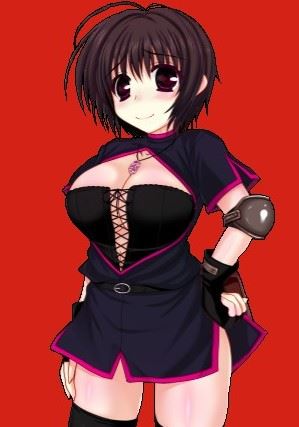
The hero is attacked by insects while exploring the island.
Downloads
Confused about how the downloading works? Here is a handy guide
Windows
Fileknot (Gamefile) Transfaze (Gamefile) Fileknot (CardWirth Necessary) Transfaze (CardWirth Necessary) Fileknot (English Patch) Transfaze (English Patch)
Windows
Mega (Gamefile) Mixdrop (Gamefile) Workupload (Gamefile) Mega (CardWirth Necessary) Pixeldrain (CardWirth Necessary) Uploadhaven (CardWirth Necessary) Mega (English Patch)
Copyright and Terms: Lewdzone is a crawling site. We post games like Mushi no Kangoku from trusted sources like Patreon official release, creator's official site and F95. We only share links of files provided by those sources. We do not include/exclude anything to/from the packages. We do not host those files and those files are hosted in public file sharing servers and by the ToS of those servers, it is legal to share any public files.
- Extract "CardWirth.rar" to desired location.
- Put "蟲の姦獄0.70" in Card Wirths Scenario folder.
- Click on "CardWirth.exe."
- Now follow this guide closely: Guide
Walkthrough & Guide
0.71b
Sep 12, 2023
English Patch
Minimum
OS: Windows 7+
CPU: Dual Core 2.0 GHz
RAM: 4 GB
GPU: Integrated Graphics
Storage: 552.05 MB
Recommended
OS: Windows 10+
CPU: Quad Core 2.5 GHz
RAM: 8 GB
GPU: Any dedicated GPU
Storage: 552.05 MB
How do I apply the english patch?
I’m also trying to figure that out
how can i install this pls ?
i dont understand
Extract “CardWirth.rar” with 7zip to desired location.
Put “蟲の姦獄0.70” in Card Wirths Scenario folder.
Click on “CardWirth.exe.”
That didn’t work for me…it’s just the normal game yet
do you have to extract 0.70 into card wirths scenario folder??
CARDWIRTH WHERE I CANT FIND IT IN THE FILES
I guess the links titled with (Necessary).
cardwirth is another game program that isnt included here
spent about an hour to get this to work with cardwirth – was successful to get it to display on cardwirth but it would instantly black screen after selecting the game
Unfortunately, the file names are misspelled. The original (and working) files should be named in Japanese characters, then you run Cardwirth using LocalEmulator (using “Run in Japanese” option) or something else.
there is no cardwirth file that moronic guide makes no sense