
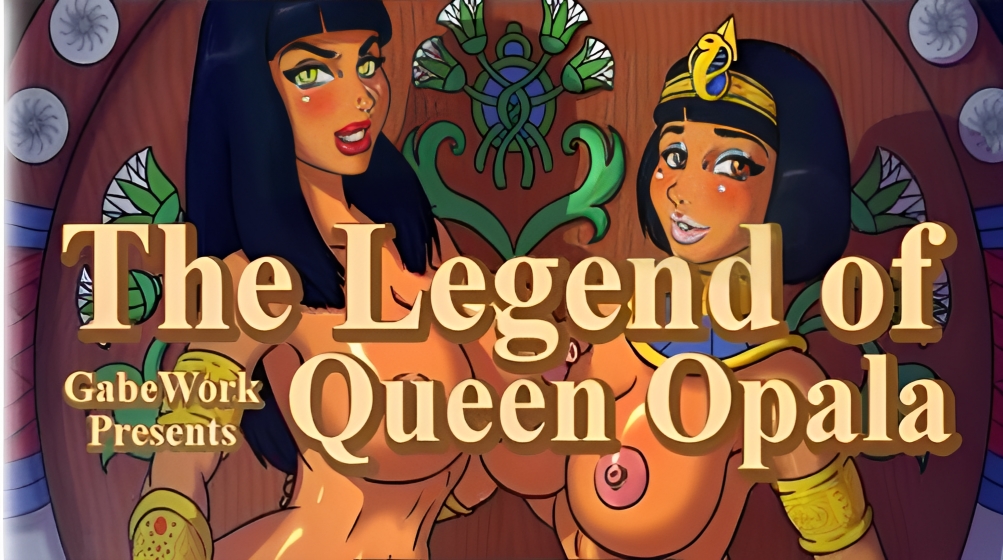
Legend of Queen Opala: Origin
More by SweGabe
About Legend of Queen Opala: Origin
It’s a RPG series I’ve been making, using the RPG Maker XP engine, blending RPG elements, exploration and adult content, that mostly focused on Queen Opala, her evil sister Osira and their mother Farah, though the latest entry in the series is branching out …and most importantly, the games themselves will always be free, even if the actual production process clearly can’t be.
Currently, I’m making Legend of Queen Opala: Origin – Episode 2 with my mind set on a late 2016 deadline.
Downloads
Confused about how the downloading works? Here is a handy guide
- Extract to desired location.
- Make sure you have the <a href="https://www.rpgmakerweb.com/run-time-package#w-tabs-0-data-w-pane-2" target="_blank" rel="nofollow noopener">RPG Maker XP RTP</a> installed.
- Click on "Game.exe" to start playing.
Walkthrough & Guide
Comics: FILEKNOT - ANONZIP
Comics 1: FILEKNOT - ANONZIP
Artsyle Change Mod: FILEKNOT - ANONZIP
Artsyle Change Mod Installation: Replace this file with the original in the Data folder and go into your camp.
Improvement Mod: FILEKNOT - ANONZIP
Cheat Mod: FILEKNOT - ANONZIP
Improvement Mod Installation:
- Make sure your game files already decrypted ( if you have file game.rgssad decrypt it first you can use tools like this RPGMakerDecrypter if not just go to next step )
- Extract to the game directory
- Run "Install mod.bat"
============== Installation Note ==============
What "Install mod.bat" do
- Change Game.ini text from "Library=RGSS102E.dll" to "Library=Library=RGSS301.dll"
- Unhiden and remove read-only attribute for Data folder
You can do it manualy if you don't want to use the batch file
Improvement Mod Features:
- Add RPG Maker XP Ace plugin by KK20 this make game more reliable, you can make screen bigger by pressing F5 and use tools like sizer, for more feature check the link!
- Make boots of rushing works everywhere! even in world map. after you get boots of rushing you can run by press shift. For always run toggle press TAB when autorun is on you can press TAB again to turn off or hold shift to walk
- Skip dialogue by holding CTRL
- More slot for save/load current max slot is 30, you can use left or right to change the page
- Change menu screen to display resource when you unlock castle warrengard
- Add autosave, location auto save is in last page ( it will always autosave when you change map, haven't tested much so don't rely on this )
- Add Settings in Menu
- Add Quick Save ( F5 ) & Quick Load ( F9 )
- Add Minimap with name of the map ( W ), there are two types Normal and Full, can change in Settings
- Add hide dialogue when you want to see the CG ( X )
- Add Shortcut for open Quest Log & Treasure Map ( S )
- Quest Log now sort from incompleted quest first then complete quest and make completed quest name disabled
- Add Message Log ( D ), If Message Log display something weird, open message log ( D ) then press ( Q ) to reset
- Add [Distress] state in menu status
- Change screensize ( F5 ) now scale max screen size
- Add FullscreenMethod to Mod Config.ini to change fullscreen type.
2 -> 4:3 aspect ratio ( Default ), 1 -> scratch, 0 -> default rpg fullscreen
- Add Shortcut for open Journal ( S )
- Add Legendary monster status/location, Enemy sprite, EXP, Gold, Title Star, in Journal
- Redesign Menu Screen
- Add Gauge Bar for HP, SP & EXP
- Add Library to display scholar items, Tavern Game, Slender Slut, Property List, Dimensional Shard, Posters Location
- Equipment window now display all status & add value change coloring
- Add Expedition time in menu
- Add Mod Patch
- Add Experiment feature ( default: false, enable this in setting )
- Now Blacksmith will display your total current item
- Add Screenshots ( Hotkey: F3 ) ( Screenshots saved in Screenshoots folder )
- Add Mod folder, you can load your own script/mapdata or add rpgm plugin here without edit main script. you can see how I spawn new event in script folder to implement experiment as example
- GameOver Scene now have window option for Load Autosave, Load, Back to title
============= Battle Scene ==================
- Add Speed Up Battle Scene, this will make game faster, hold " A " in battle scene and the game will become faster
- Add auto attack action, party will auto action fight -> attack. Hotkey ( CTRL )
- Add Repeat attack, after you take action like selection skill/normal attack. Hotkey ( SHIFT )
- Item window in battle scene, now only display usable items
- Inactive party still get exp when kill monster
- Skill selection position is now saved
- Critical damage color become yellow
============= Settings =================
Art Style: Change game art style
Always Run: Make character always run ( Toggle: Tab, Hotkey: Q )
Run Speed: Player speed when running
Fast Battle: Make battle scene faster ( Hotkey: A )
Minimap: Minimap display size, can be hidden ( Hotkey: W )
Minimap Type: Minimap type display, you can set to full if you want to display whole map in minimap
Minimap Position: Position of the minimap
Experimental Feature: Enable experimental feature
Screen Type: Change Window game screen size ( Hotkey: F6 / Alt+Enter )
Hotkey List: List all mod hotkey used in the game
Load Game: Open Load Game Screen
============= Mod Patch Features ==============
Standard Patch :
- Expedition time will keep decreasing even the game is minimized, closed or in menu
ImprovementMod Keyboard Shortcut:
ALT+ENTER - Fullscreen
F3 - Take Screenshot
F6 - Bigger Screen
F5 - Quick Save (Only enable when player is not moving and not in dialogue )
F9 - Quick Load
F11 - Open Load Scene
TAB - Toggle Always run ( Need item boots of rushing from scholar to enable this )
W - Toggle Minimap
CTRL - Skip Dialogue & Auto attack when fighting monster
Q - Run/walk ( depend when always run on or of )
X - When in dialogue to hide the dialogue box to see the CG
D - Open Message log
S - Open Quest Log / Treasure Map
E - Open Journal
M - Open Fullmap ( When minimap type is "Normal" )
-/+ - Zoom In/Out ( When open Fullmap )
( Battle Scene )
CTRL - Auto Attack
SHIFT - Repeat Action
A - Fast Mode
Fix 801 – Everice Lake had a ropeladder you couldn’t scale, this has been corrected.
Fix 802 – Darkthorn Keep has been added as a location that can be explored in the past.
Fix 803 – Certain outfits would kick you out of the menu after selecting, this should no longer be the case.
Fix 804 – A new location named Azastral’s Forge has been added to the Frozen Continent region.
Fix 805 – A new sidequest called “Make Us Whole” has been added to Crash Site.
Fix 806 – Illustration 195 has been changed into a different artwork.
Minimum
OS: Windows 7+ / macOS 10.13+ / Linux
CPU: Dual Core 2.0 GHz
RAM: 4 GB
GPU: Integrated (OpenGL 2.1)
Storage: 3.34 GB
Recommended
OS: Windows 10+ / macOS 12+ / Linux
CPU: Quad Core 2.5 GHz
RAM: 8 GB
GPU: Any dedicated GPU
Storage: 3.34 GB
Well, since most of the people on this site type comments to state their game bugs and asking for new versions rather than dropping a review, I will drop a review now.
If u are wondering whether to download this, DON’T FUCKING HESITATE!!!
This game is top tier!! (But i am warning you, this game has an extremely big map, which means u have to walk a lot of distance and search each and every desk and cupboard for items. Therefore get the sprinting boots as soon as the game starts)
Coming back to the review, the plot and animation are just “MUAAAHH!!” (chef kiss)
(Imagine a game is so good that they give u options for selecting what type of animation style u want)
It is one of the rare games where the mc actually thinks through his brain rather than his dick. The boss monsters, characters are all good.
I recommend using the walkthrough so that u don’t miss out the items
The only thing which i felt bad was u are able to use the save editor only for gold and items, u cant use it to increase your attacks which means u have to fight every battle using your own skills.
P.S. This is my first comment, I hope you are satisfied!!! Have a good day!!
is there gallery and cheats in there ? like if i get tired (i won’t ) and just want to see the magic . and plz tell can we access to all 3 type of style like i saw a photo where it asks about which type you want to play and gives 3 option so like if i choose 1st one and after some time i wanna try 2nd so ? plz reply
whenever I try to start the game it immediately closes, i followed the install instructions and tried redownloading, pls help.
Have you installed RPG Maker XP RTP?
Yep
Can you check if your antivirus is quarantining any files?
I don’t see anything in my antivirus, is there anything that u know of that could and I just missed
It works on my Windows 10.
Extract the zip file. Open LoQOO folder.
There is another folder named “RPG Maker XP”. Inside that, run SetupMenu.exe
Click on “Install RGSS-RTP Standard” button. Finish the process.
Then Open Game.exe file from the other folder “Legend of Queen Opala – Origin”. It should run fine.
Be sure you have extracted the whole thing to a folder and not trying to run exe from the zip file.
Some obvious support programs you should have: DirectX, vcredist. Google each name and you will get links from microsoft.com. Install those since they are essential for a lot of games. Install/update appropriate graphics driver.
cant find anything in quarantine, do u know if i should be looking for anything specific
I do all the installation process but I can’t play the game.
Can’t make full screen/Can’t even touch screen (new game/load/Quit game)
Any suggestions to fix it?
Your downloaded file might be broken. Try downloading again.
Well i didn’t even play it yet and it’s already difficult ^^ You must read the manual first for knowing how to play and it’s all keyboard stuff … When i started the story the text was running too fast for me (i’m not english !) Are you sure this is a good game ?!
Please add Mega or Google link
workupload is just as good but without the 5gb restriction so..you could say its better
OMG! I play this game couple year ago… I thought this game already finished by now… lol
how many more content that this dev want to add on this game…. super awesome!
yes
HAHAHA i love your response lewdinformer
there is no gallery in options , how to see all art ? like how to see those letters i collected in-game or any cheatss ?
u do it by pressing the letter a and then choosing art gallery, from there you can view all sorts of stuff including some of the scenes you have already experienced
Save data ?
It is not available yet.