

Goodbye Eternity
About Goodbye Eternity
What if you had a new chance in life? What if you could make it better than all those years of misery and harassment?
What if you could get revenge on all the people who wronged you and get what you always desired….
What will you do, with this chance as you wake up in a youthful body, thirty years in the past?
The choice is yours.
Downloads
Confused about how the downloading works? Here is a handy guide
- Extract and run.
- Incest Patch PC Installation: Unzip it into the "game" folder.
Walkthrough & Guide
Cheats Codes:
To unlock the codes it's necessary to collect the money hidden on all the backgrounds and to finish the game once.
more = +5000¥

MacumbaEverywhere = Try this, trust me
Cheat Table v0.11.0.: FILEKNOT - ANONZIP
Cheat Table v0.12.0.: FILEKNOT - ANONZIP
How do I get a copy of Cheat Engine:
There are several ways to download the tool:
- Official Cheat Engine website - a free, compiled executable. While installing, make sure you decline all adware
- Dark Byte's Patreon - $2.5/mo membership to get the latest releases and hotfixes already compiled
- Cheat Engine Github - if you want to compile it or CE github releases
NB: Cheat Engine is available on Windows and MacOS only.
NB: Make sure you have the LATEST or at least a penultimate version of CE when using others' cheat tables to avoid incompatibility issues
How does Cheat Engine work:
It's basically a debugging tool on steroids. There's a lot to unpack on how it works, but my scripts rely on AOB signatures (be they hardcoded ASM cheats, pointers with offsets, etc) and LUA scripting. The challenge is to create consistent and resilient cheats working between versions, but there's nothing permanent with compilers and optimizations.
AOB signatures work like this: a byte signature is scanned to find the first match in the .text (code) section, then CE gracefully injects a detour jump to the allocated cheat script (or in a code cave) that tweaks the game behavior and then returns to the next instruction after the injection. Sometimes AOB-based cheat scripts modify a function's behavior in-place.
Lua scripts that are running in the CE's lua engine are basically meta-scripts to extend CE's functionality with a neat API.
Where do I put a cheat table / .CT file:
Wherever you deem suitable, usually tables are standalone .CT files and making dependencies for them isn't a good practice. When you run a cheat table, it's loaded into and interpreted by Cheat Engine.
How to use Cheat Engine:
First of all, make sure your Cheat Engine instance is running with administrator rights to make sure it is able to read, write to memory properly. To do that, you can grant administrator rights by clicking RMB on Cheat Engine shortcut (to open its context menu), then go to Properties -> Compatibility (tab) and tick 'Run this program as an administrator'. Likewise, you can go to CE settings (when in the CE GUI, Edit->Settings) you can also find 'Always attempt to launch as admin' option. Or if you need it once, just run CE as an administrator (RMB on the CE shortcut, 'Run as an administrator'
For cases when tables DON'T have an attach script in them:
When Cheat Engine is opened and/if a cheat table for a specific game is loaded into it, the first thing that's needed is to attach to the specific game executable.
Attach button is highlighted:
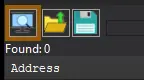
After pressing this button, you will see active processes with their PIDs exposed by Windows. If you struggle to find yours, check other tabs, there are 3 of them: Application, Processes, Windows.
For cases when tables DO have an attach script in them:
You'll see a script like *this*, just activate the checkbox. Does it fail to attach? Please read 'Why does the attach script fails when I activate it?' below
Attach script:

Once you are attached, activate other scripts that you need and have fun. Usually scripts are quite simple to use, but if there are instructions, just follow them to make it work. Sometimes certain actions are required for scripts to work properly, .e.g pressing a button to catch a pointer, loading into the game/level world to ensure a character actor is constructed, etc.
Sometimes scripts will fail to be executed. Usually the error will be written in the context menu of a script that's failed (just click RMB on the failed script, the first row will be the error message). Some scripts may print errors/tracebacks into the CE Lua Engine output window: either way, when you report an error, provide the reason WHY it fails.
Error Example: AOB not found:

If a script activates, but the intended behavior is not achieved (you'd be lucky if it doesn't crash though), most probably there was a game update that touched offsets (provided the table was based on any, which is probably the case) - a new field added, hence game compiled differently, a different game engine version used, or whatever that caused the shift. That means the table has to be updated - it's obvious if the game was updated recently, but the table was posted long before.
ALSO: go to 'OK, I'm attached to the game correctly, but next scripts fail to run OR crash the game. What's wrong?'
## Added
– New bad ending
– Can be reached by making a sequence of wrong choices during Sayuri’s storyline if you are in a relationship with Asami
– Unlocks a skin upon reaching it
– Read carefully if you (don’t) want to reach it
– Your actions have consequences
## Modified
– Updated Godot to 4.5.1
## Fixed
– Story becoming jumbled when loading up certain saves
– When entering the name, the cursor went crazy
Minimum
OS: Windows 7+
CPU: Dual Core 2.0 GHz
RAM: 4 GB
GPU: Integrated Graphics
Storage: 1.13 GB
Recommended
OS: Windows 10+
CPU: Quad Core 2.5 GHz
RAM: 8 GB
GPU: Any dedicated GPU
Storage: 1.13 GB
Good game so far. The artwork is beautiful, characters are likeable and interesting. The UI is easy to navigate as well. Looking forward to future updates.
u still following this ? its been 4 years. alot of progression has been added
why i enter the code but sistem say code invalid ?
Theres a bug where I can’t give the CD player to Macumba
You need to talk to one of the redheads
does anyone else experience a bug where when you gotta go to minato’s house for the first time. Him trying to find his sister just doesn’t happen and it blocks you from making any progress in the story?
yeah. maybe future updating will fix it
Computer is saying while I was extracting the compressed file that there is Trojan:Win32/Casdet!rfn detected. It happened several times. Is there a reason this was in the file I downloaded.
does the game come with exe instead of zip?
Yes
New Update 0.6.2 is release, please update thanks
It’s not available yet.
please update the game.
The game is updated to the latest version.
waiting for 0.6.0
It’s not available yet.
It is available :/
The game is updated to the latest version.
The new update is out
The game is updated to the latest version.