
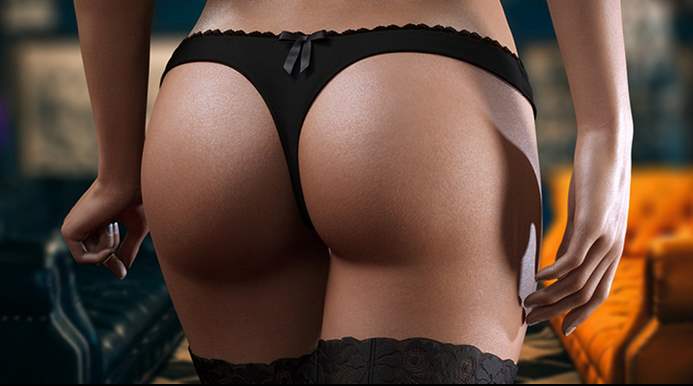
Glamour
More by Dark Silver


About Glamour
Main character (a guy or a girl, your choice) from a small town turns 18 and it’s time to go to college. Thankfully, they get an opportunity to move into big city and apply into a new experimental college. New live, new opportunities, and no oversight from an overprotective mom! Turns out main character doesn’t even have to pay for the college! All they have to do is sign a strange contract and agree to follow college rules, breaking which might have grave consequences, up to being expelled… And not only that, the rules might change in the future, too…
Downloads
Confused about how the downloading works? Here is a handy guide
- Extract to desired location.
- Click on glamour.exe to start playing.
Walkthrough & Guide
Black Screen Fix: FILEKNOT - ANONZIP
Fix Patch: FILEKNOT - ANONZIP
Image Extractor Tool (Images): FILEKNOT - ANONZIP
Image Extractor Tool (Webp): FILEKNOT - ANONZIP
About Image Extractor Tool:
You don't really need an extractor for the new versions of this game, since it went from Unity engine to a Electron based game engine (Electron framework = Chromium browser + Node.js).
All image files up to the latest version have been in the
game\app.asar.unpacked\sprites subfolder, divided into a bunch of different subfolders of it and only missing their file name extensions.
You may find it useful to try a batch script that made for Windows OS that you can put into the main folder of the Glamour game and run it there.
It will create a new subfolder named "Images" with all the image files in it.
Contrary to the original coolstuff.bat, it won't create new copies of the files, but hardlinks instead, so they will take a fraction of space on your disk, compared to actual file copies.
Attn! The script works only if your game folder is on a partition with NTFS file system on a local hard drive (a normal Windows system disk for example). External disks may be formatted to FAT32 or ExFAT and it won't work in this case, neither will it work on network storage. External NTFS storage is fine.
You can freely delete the created Images folder or any of the image files inside it separately, original files in the
game\app.asar.unpacked\sprites will not be affected by it.
OR in case you're not interested on keeping the game, you can keep the new Images folder and delete the 'game' subfolder and its contents instead.
Webp version added.
The new script adds a webp file extension to created hardlinks, since the game has recently moved to webp compression.
This should help "dumb", content-unaware image viewers to open these files without any problems (unless some of the images still aren't webp compressed).
Suggestion: try a content-aware image viewer like IrfanView (very fast and small, yet powerful, with many additional functions and a wide language support) or XnView instead of the Windows default "Picture and Fax Viewer". Both alternatives are free for non-commercial users.
GlamourEdit Source: FILEKNOT - ANONZIP
Save Editor:
Updated version:
- Use GlamourEdit (FILEKNOT - ANONZIP) to export your savegame to a JSON file.
- Open Glamour 0.27 and press CTRL+Shift+I
- A new window will open, on the bottom half you should now see a console where you can enter text. (Click on the Console tab at the top if you can't see it).
- Paste the following code in there (make sure you copy all of it):
- JavaScript:
-
const uploadElement = document.createElement("input");

const prepareDom = () => {

uploadElement.type = "file";

uploadElement.addEventListener("change", () => {

const reader = new FileReader();

let file = uploadElement.files[0];

reader.addEventListener("load", function () {

importSavegame(reader.result);

}, false);

reader.readAsText(file);

});

document.body.appendChild(uploadElement);

};

const importSavegame = (savegame) => {

try {

character = JSON.parse(savegame).currentCharacterId;

if (character === undefined) {

showInfo("Could not detect character of the provided save game. Exiting...");

return;

}

console.log(character);

insertNewSave(character, savegame);

} catch (error) {

showInfo("Something went wrong. Make sure you selected an unencrpyted version of your save game");

}

};

const insertNewSave = (character, savegame) => {

let highestSlot = Object.keys(localStorage).filter(n => n.startsWith("save:" + character)).map(item => parseInt(item.split(":")[3]));

let freeSlot = Math.max(-1, ...highestSlot);

let currentTime = Math.round((new Date).getTime() / 1000);

localStorage[`save:${character}:${currentTime}:${++freeSlot}`] = savegame;

showInfo("Your savegame should be imported now.");

document.body.removeChild(uploadElement);

};

const showInfo = alert;

prepareDom();
- Press ENTER. If everything went well you will now see a file picker at the top left of your screen labeled "Choose File". If the game is hanging or not responding, close the game and repeat the steps.
- Click on that button and select the JSON file you exported earlier.
- You will get a success message if your savegame was imported properly. If not, make sure you selected the right file.
- The Choose File button will now vanish. Close the developer tools by pressing CTRL+Shift+I again (you can also just restart the game, but it's not necessary)
- Go to the "LOAD GAME" screen. Your savegame should now appear in that list granted you have the correct character selected.
Alternative version:
- Use GlamourEdit (FILEKNOT - ANONZIP) to export the savegame you want to play to a JSON file.
- Open Glamour 0.27 and start a new game and choose the same character your old savegame uses.
- Once inside the game, click the cog wheels, select SAVE GAME and save your game. You will be redirected back to the main menu.
- Open the JSON file you exported earlier in a text editor of your choice and copy its content to your clipboard
- Alternatively just select the save in GlamourEdit, click on the editor on the right, press CTRL+A to select all and CTRL+C to copy to clipboard.
- Do whatever way you prefer but the result must be that your old unencrypted save game is now in your clipboard.
- Back in the game press CTRL+Shift+I to open the Chrome Developer Tools.
- Select the tab "Application" at the top (if you dont see it, try resizing the new window that opened and make it bigger or click on », then Application.
- On the left side click on the arrow next to Local Storage to expand it, then click on file://.
- In the list that showed up check the Key column and look for a string that starts with save. For example: save:kate:1593106068:0. If you selected max it will save max instead. Pick the the one with the highest number at the end after the last colon
 ). (The format of this string is always save:<maincharacter>:<unixtimestamp>:<slotid>)
 - Doubleclick on the text in the "Value" column and you'll notice the whole text will be selected. Press CTRL+V to paste and overwrite this text.
- Press CTRL+Shift+I again to close the Chrome Developer Tools. Back in the game click on Load Game.
You should now see your old save. You should load it and save it again ingame to make sure it stored it correctly.
TL;DR: DS included the developer tools in this release for whatever reason which makes it very easy to access the browser that's powering the game. Replace a value in the local storage with your save contents and the game will recognize it.
To make it easier in the future we should probably implement a modified loading system in the game. I attached the (somewhat) unobfuscated source code of the game in case anyone feels like doing that. Relevant code starts at line 5624.
Main: FILEKNOT - ANONZIP
Minimum
OS: Windows 7+
CPU: Dual Core 2.0 GHz
RAM: 4 GB
GPU: Integrated Graphics
Storage: 1.27 GB
Recommended
OS: Windows 10+
CPU: Quad Core 2.5 GHz
RAM: 8 GB
GPU: Any dedicated GPU
Storage: 1.27 GB
I prefer to leave my adblocker turned off for sites I appreciate, this one included, but something really needs to be done about this.
https://i.imgur.com/2Beq902.png
These side ads cannot just remain anchored to the side of the screen, over top of everything, making it impossible to read. Give them some space on the side, so they don’t overlap the content.
I have a strange feeling that you don’t browse your own website with ads turned on, or I assume this would never have become a problem.
We are investing the issue and it will be resolved soon.
Can you tell us your monitor’s resolution?
We have fixed the issue, It was caused due to recent adjusts in responsive design. We never intended to put ads on the top of contents. Please let us know if you find another problem in our site.
Here’s another issue: I don’t have adblock on this browser, as you can see with the ads in the background, but I still get the Adblock detected popup with every page load.
We have disabled adblock detection. Enjoy
Can u update new link its last link is 55 now ongoing version is 57
The game is abandoned.
Game would not load. I spent enough time to download a game twice as big on the loading screen & it never changed. It didn’t freeze either because there was still movement on the loading screen.
disconnect internet
After 6 years of BB and rework in Glamour (BB version). Milk, remilk, repetitive events. Few progress. And now, remove sex with Ann. No more sex in the game. Only stupid sex scenes. Boring, without choices. Teacher tell “make this” and click next next next next. Scammer Dev. Never will finish a game.
Developer will not continuous this game.Abandoned game. 0/3 glamour (old) bb and this game
Seems to be abandoned as you can see on their latest post on Patreon. Well, it was a great game.
SOB if this shit isnt a reboot or remake or fcken Big Brother spare me that Bullshit again play it if you liked big brother but stay the fck away if you hated it .
I thought this game seemed familiar, couldn’t remember the name, thanks for reminding me, and confirming that this is infact a fucking copy / paste of BB
FMC game… never played
MaleMC game. Same BB story without gay bromance with Eric. But new bromance (gay MC peeping on guys “because” no reason) with Boris in 0.50-0.54. Same boring gameplay.
7 years milking. Zero completed games.
Using same renders of FMC story in MaleMC story. To milk. Kate (FMC) enters in male MC story. Male MC goes to same school. Probably to add all gay bromance ntr shit in Male MC game.
Stopped playing this game at version 0.50 as the story went totally down hill.
I’m the only one having issue with new images of the 0.41 version not loading (black screen) ?
same
Images don’t show in game. They showed up yesterday and now I try to play the visual novel and no images show up. My first comment was just deleted. Is there a solution for such a problem? I have tried looking it up with a web search but have found nothing. Really enjoying this game and would appreciate some help if possible or at least a response and not just a delete of my comment. Thank you.
Your downloaded file might be broken. Try downloading again.
Multiple downloads and installations with same results. Pictures just show up as tiny little generic thumbnails and cannot even start the game. Going to hopefully get the offline file from the maker and avoid this issue. Never had one of these visual novels do this before.
Black Screen Fix: Rename root Directory to Glamour-0.33
It doesn’t solve the problem
Read instruction.
I was also having this problem. Have you tried running the game as admnistrator? For some reason after i did it started working.