
Ongoing
vCh.2 v1.04
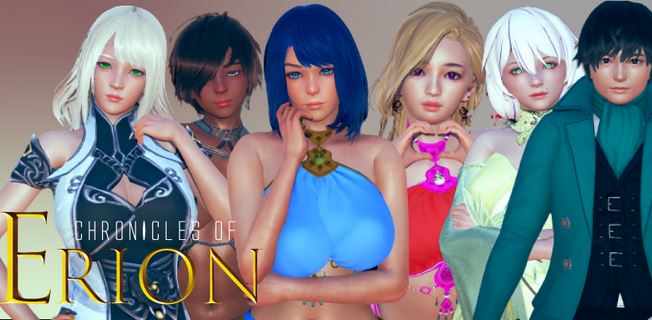
Chronicles of Erion
3DCG
Big Ass
Big Tits
Creampie
Graphic Violence
Harem
Male Protagonist
Monster Girl
Oral Sex
Romance
Vaginal Sex
Visual Novel
About Chronicles of Erion
The world began to fall into disgrace and darkness, after people left the gods aside, creatures never seen or reported in Erion’s history walked across their lands, kingdoms and civilizations are being decimated. A great force awakens in chaos and nobody knows what is happening. What happened to the gods? What’s going on in Erion?
This is the introduction of VN, I hope you like it.
Downloads
Confused about how the downloading works? Here is a handy guide
Windows
Fileknot Transfaze Fileknot (Chapter 1 v1.03) Transfaze (Chapter 1 v1.03)
Mac OS
Fileknot Transfaze Fileknot (Chapter 1 v1.03) Transfaze (Chapter 1 v1.03)
Linux
Fileknot Transfaze Fileknot (Chapter 1 v1.03) Transfaze (Chapter 1 v1.03)
Windows
Gofile (Chapter 2) Mediafire (Chapter 2) Mega (Chapter 2) Mixdrop (Chapter 2) Pixeldrain (Chapter 2) Gofile (Chapter 1 v1.03) Mega (Chapter 1 v1.03) Mixdrop (Chapter 1 v1.03) Pixeldrain (Chapter 1 v1.03) Wdho (Chapter 1 v1.03)
Mac OS
Gofile (Chapter 2) Mediafire (Chapter 2) Mega (Chapter 2) Mixdrop (Chapter 2) Pixeldrain (Chapter 2) Gofile (Chapter 1 v1.03) Mega (Chapter 1 v1.03) Mixdrop (Chapter 1 v1.03) Pixeldrain (Chapter 1 v1.03) Wdho (Chapter 1 v1.03)
Linux
Gofile (Chapter 2) Mediafire (Chapter 2) Mega (Chapter 2) Mixdrop (Chapter 2) Pixeldrain (Chapter 2) Gofile (Chapter 1 v1.03) Mega (Chapter 1 v1.03) Mixdrop (Chapter 1 v1.03) Pixeldrain (Chapter 1 v1.03) Wdho (Chapter 1 v1.03)
Copyright and Terms: Lewdzone is a crawling site. We post games like Chronicles of Erion from trusted sources like Patreon official release, creator's official site and F95. We only share links of files provided by those sources. We do not include/exclude anything to/from the packages. We do not host those files and those files are hosted in public file sharing servers and by the ToS of those servers, it is legal to share any public files.
- Extract and run.
Walkthrough & Guide
Ch1 Adjustments Mod: FILEKNOT - ANONZIP
Ch2 Adjustments Mod: FILEKNOT - ANONZIP
Adjustments Mod Installation:
Just extract and merge the game folder with this titles game folder. (Over write when prompted) Then run your game exe, and enjoy the few minor screen adjustments and third party mods.
(Note, this compilation of mods and changes in most cases will not need any future updates, provided that no future drastic changes will be done to the scripting of this project. BUT, …please note chapter one gui.rpy settings are different from chapter 2, so a separate file was created for it.)
Adjustments Mod Features:
Ch2 Adjustments Mod: FILEKNOT - ANONZIP
Adjustments Mod Installation:
Just extract and merge the game folder with this titles game folder. (Over write when prompted) Then run your game exe, and enjoy the few minor screen adjustments and third party mods.
(Note, this compilation of mods and changes in most cases will not need any future updates, provided that no future drastic changes will be done to the scripting of this project. BUT, …please note chapter one gui.rpy settings are different from chapter 2, so a separate file was created for it.)
Adjustments Mod Features:
- Changed the default textbox, to a custom dark bottom shaded version...which aids with viewing the dialog text without blocking any of the background images.
- Changed the default game menu (overlay) to a lighter choice (easier to see the settings),
- Changed the default white frame.png, namebox.png, notify.png, skip.png, nvl.png gui files to a darker format. (more visually pleasing)
- Changed the font colour settings for chapter 1 gui.rpy file (Chapter 1 has it's own separate changes from chapter 2).
- Included the 0x52_URM tool, which allows a user to view as well edit Ren'Py titles (Use ALT M to open the URM search feature). As well this tool can be used to see some data behind the story choices. And this tool can be used to display requirement checks as they happen in the story.
- Also included a Universal quick menu mod which hide's the quick menu and other screen items associated with the quick menu...by pressing your Q key. (Used to help clean up the dialog area, as well the ability to bring back the quick menu items with a single key stroke.)
- Included the Universal Choice Descriptor mod, which can display on screen some hidden data that is behind some of the story choices, which can offer points and other game info. (It's not a walk through, but can still provide some additional choice info.)
Minimum
OS: Windows 7+ / macOS 10.10+ / Linux
CPU: Dual Core 1.5 GHz
RAM: 2 GB
GPU: Integrated Graphics
Storage: 1.58 GB
Recommended
OS: Windows 10+ / macOS 12+ / Linux
CPU: Dual Core 2.0 GHz
RAM: 4 GB
GPU: Any dedicated GPU
Storage: 1.58 GB